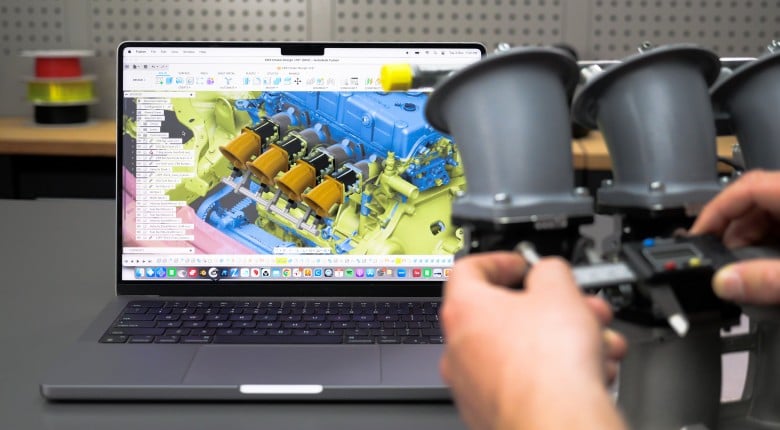
Transform your 3D scanner data into workable CAD models that you can actually design with.
Connor shows you how to convert mesh files from 3D scans into functional Fusion, aka Fusion 360 models for automotive or motorsport projects. This webinar "361 | How to Use 3D Scans in Fusion" has been available to HPA Gold members for months. HPA Gold members get early access to every lesson.
You'll see the complete workflow from importing STL mesh files to creating solid CAD models you can modify and manufacture. The demonstration covers reverse-engineering a turbo manifold and scan-based design for suspension components, demonstrating both approaches for working with scanner data.
You'll learn how to create your own mesh section sketches, curve fitting, and how to extract usable geometry from incomplete scan data. You'll also see how to recreate parts exactly rather than applying design improvements, and how to use assembly workflows to integrate multiple scans.
Don't have a 3D scanner? No worries, while it takes a bit more work you can get usable scan data with the smartphone in your pocket and it's a great tool to start out with.
------------------------------------------
TIME STAMPS:
0:00 - 3D Scans in CAD Introduction
0:24 - Reverse Engineering vs Scan-Based Design
0:50 - Reverse Engineering Applications
1:54 - Scan-Based Design Workflow
2:31 - Metrology and Quality Control Uses
3:43 - Mesh File Fundamentals
4:14 - Triangular Face Limitations
4:48 - STL vs OBJ File Types
5:27 - Mesh Refinement Considerations
5:50 - Color Texture Data Capabilities
6:33 - Reverse Engineering Demo Start
7:25 - Turbo Manifold Scan Overview
8:24 - Fusion 360 Mesh Import
9:20 - Insert Mesh Workflow
10:17 - STL Triangular Face Visualization
10:49 - Plane Through Three Points Setup
11:45 - Mesh Section Sketch Creation
12:47 - Section Plane Positioning
13:30 - Curve Fitting to Mesh Profiles
14:31 - Circle Constraint Application
15:21 - Flange Recreation Process
17:30 - Fit Curves to Mesh Section Tool
19:04 - Sketch Constraint Application
22:43 - Extrude Feature Creation
24:09 - PeelCAD Integration Example
25:25 - Centerline Extraction Process
26:40 - Surface Loft Operations
28:19 - Split Body Tool Application
29:34 - Design Intent vs Perfect Recreation
30:22 - Scan-Based Design Introduction
31:05 - Volvo 16 Valve Example
33:15 - Single vs Multiple Scan Workflows
33:43 - Starlet Rally Car Assembly
35:01 - Entity Extraction in PeelCAD
36:08 - Assembly Component Integration
37:20 - Coordinate System Alignment
38:36 - Multi-Component Joint Setup
40:02 - Suspension Pickup Point Planning
41:30 - External Component Best Practices
43:46 - Q&A: Geomagic Software Comparison
45:26 - Q&A: Fusion 360 Mesh Efficiency
47:31 - Q&A: PeelCAD Centerline Extraction
50:26 - 3D Scanning Course Preview
50:40 - BUILD.TUNE.DRIVE