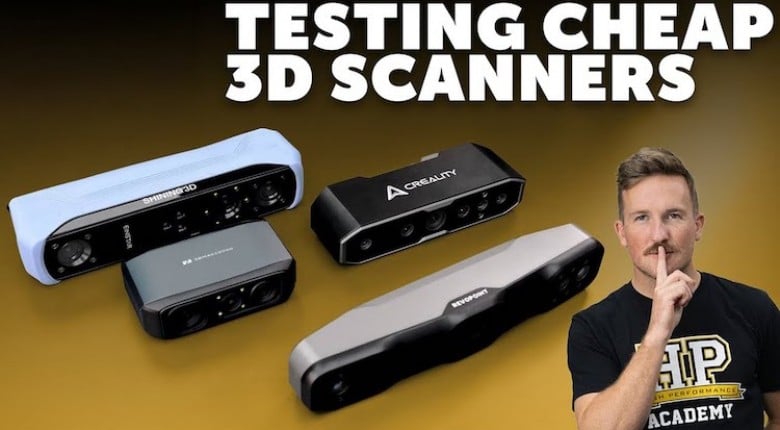
Do 3D Scanner Companies Lie About Accuracy? Four budget 3D scanners, one clear winner, and some surprising accuracy results that manufacturer specs won't tell you.
Connor puts four sub-$1000 3D scanners through real-world automotive testing to find which actually delivers usable results for your projects. This webinar has been available to HPA Gold members for months – members get early access to every lesson.
Scanners tested, these are Amazon affiliate links:
$700 3DMakerpro Moose
0.03mm claimed accuracy | https://hpcdmy.co/amaMoose
$800 RevoPoint RANGE 2
0.3mm claimed accuracy | https://hpcdmy.co/amaRANGE2
$900 Creality CR-Scan Otter
0.02mm claimed accuracy | https://hpcdmy.co/amaOtter
$1000 Shining 3D EINSTAR
0.1mmm claimed accuracy | https://hpcdmy.co/amaEINSTAR
You'll see a hands-on comparison of the 3D Maker Pro Moose ($600), Revopoint Range 2 ($800), Creality CR-Scan Otter ($900), and Shining 3D Einstar ($1000) across three challenging scan targets: AE86 engine bay, SR20 billet block, and CRX rear wheel arch. Connor demonstrates each scanner's workflow, discusses field of view limitations, processing requirements, and reveals accuracy measurements using professional reverse engineering software.
The session covers critical factors like working distance, capture area variations, computer requirements, and why manufacturer accuracy claims don't match workshop reality. You'll learn about blue light vs infrared scanning technology, mobile vs tethered operation, and when tracking markers become necessary for large, plain surfaces.
Connor performs live accuracy analysis using Geomagic Design X to measure actual bore diameters and spacing against known machined dimensions, revealing which scanners deliver sub-millimetre accuracy and which fall short of their marketing claims. The comparison includes processing speed, software usability, and total cost of ownership, including computer upgrade requirements.
Real-world testing shows significant differences in performance across different surface types, from reflective aluminium to painted body panels, with a detailed discussion of each scanner's strengths and limitations for automotive applications.
------------------------------------------------------------
TIME STAMPS:
0:00 - Budget 3D Scanner Introduction
0:16 - Four Scanners Under $1000
1:08 - Scanner Selection Criteria
2:18 - Large Part Scanning Focus
3:19 - Scanner Specifications Comparison
4:34 - 3DMaker Pro Moose Overview
5:28 - Accuracy Claims vs Reality
6:09 - Capture Area and Working Distance
7:32 - Tracking Methods Explained
8:10 - Computer Requirements Analysis
9:40 - Revopoint Range 2 Specifications
10:35 - Creality Otter Features
11:15 - Test Target Objects
12:15 - SR20 Billet Block Scanning
13:10 - CRX Rear Arch Application
14:17 - 3DMaker Pro Moose Live Demo
15:20 - Power Requirements and Cables
17:06 - Field of View Limitations
18:06 - Tracking Errors and Alignment Issues
20:35 - Processing Speed Problems
23:25 - Revopoint Range 2 Testing
25:35 - Mobile Phone Integration
27:18 - Scanner Settings and Exposure
28:41 - Framerate and Performance Issues
30:18 - Engine Bay Scanning Results
32:10 - Processing Speed Analysis
33:34 - Creality Otter Demonstration
35:00 - Dual Camera Configuration
36:38 - Scanner Build Quality Comparison
37:45 - Live Scanning Performance
40:57 - Large vs Medium Object Settings
42:22 - Resolution Quality Assessment
43:41 - Shining 3D Einstar Setup
44:16 - Cable Requirements and Power
45:41 - Einstar Live Scanning Demo
48:42 - Engine Bay Scanning Performance
50:01 - Large Area Scanning Capabilities
51:33 - Scan File Analysis
55:04 - Accuracy Measurement Introduction
57:05 - Geomagic Design X Analysis
58:06 - 3DMaker Pro Moose Accuracy Results
59:42 - Manufacturer Claims vs Reality
1:00:30 - Revopoint Range 2 Measurements
1:01:37 - Creality Otter Accuracy Analysis
1:02:37 - Einstar Measurement Results
1:03:59 - Professional Peel 3 Comparison
1:05:14 - Scanner Recommendations Summary
1:09:03 - Einstar Final Recommendation
1:11:12 - Q&A Session
1:15:25 - BUILD.TUNE.DRIVE