398 | How To Identify & Source OEM Connectors
Summary
Whether you're repairing the injector wiring on a drift missile or rebuilding a classic from scratch, OEM connectors can be a real puzzle. In this webinar, you'll learn how to identify, source, and substitute hard-to-find connectors, plus you'll find out what to do if the one you need no longer exists.
| 00:00 | Hey everyone, Caleb here, High Performance Academy. |
| 00:02 | Welcome to another webinar. |
| 00:04 | Today I'm going to talk to you about some OEM connectors, how much of a pain that can be to source and to identify. |
| 00:11 | It's an issue we commonly come into, especially with wiring. |
| 00:14 | You might just be rewiring a full car and want to keep some of the OEM connectors. |
| 00:21 | You might be doing a full retro build that you want to keep everything original. |
| 00:24 | Or you might just be replacing a single connector in your car, as is with a lot of things that get old, like us and cars. |
| 00:32 | The plastic tends to break down and we need to replace them at some point. |
| 00:37 | And it can be hard to find where to actually get them from to replace them with. |
| 00:41 | So, we'll have a look at a few things. |
| 00:43 | Things that you need to be careful of when you're looking at connectors, where you can go wrong, some of the good places to search for them and find them, and where to get some help. |
| 00:52 | Now, today, it is a live webinar, but it's recorded. |
| 00:57 | So, if you're watching after at a later date, you'll need to ask questions on the forums. |
| 01:03 | If you're watching now, chuck your questions in the chat and I'll try and get to them after. |
| 01:08 | So, getting into it, we'll jump over to the computer here. |
| 01:11 | I've got an example here. |
| 01:14 | I was working on a Cummins engine into a Patrol a little while ago, and the issue I found is the cranked angle sensor connectors need to be replaced. |
| 01:23 | Couldn't find anything sort of off the shelf from common places. |
| 01:27 | So, I just did a quick Google search and straight up this one here is the one that I wanted. |
| 01:33 | Clicking on that, we can go here and we come to a website. |
| 01:36 | You can buy the connector. |
| 01:37 | It's exactly what I wanted. |
| 01:39 | But the only thing is it comes with pigtails. |
| 01:41 | Now, connectors sometimes come with a pigtail, which just means it has a length of wire already connected and terminated. |
| 01:47 | This could be fine in some simple repair jobs. |
| 01:51 | But in my case, and probably in your case, you'll want to actually get terminals separate and crimp them yourself to keep it all one piece. |
| 01:58 | You don't want extra connections that are unnecessary. |
| 02:01 | So, we'll look at kind of how we can find this connector in other places. |
| 02:06 | Some of your local bonus sport specific wiring companies might have them place some places that are good for us in New Zealand. |
| 02:14 | We have M-Cell in Australia at EFR Hardware. |
| 02:17 | If we have a look here, this is the EFR Hardware website. |
| 02:21 | They've got places like this have really good search functions for connectors. |
| 02:24 | As you can see here, you can search by pin count, which is really handy if you don't particularly know where the connector come from, especially with brand or manufacturer. |
| 02:33 | But you can search in your specific manufacturers here, Mazda, Honda, Mitsubishi, Nissan, and so forth. |
| 02:40 | A quick note on that, though. |
| 02:43 | When you're searching for a connector, just because it is a Nissan connector or a Honda connector, that's not the actual brand of connector. |
| 02:50 | They use separate brands such as Delphi, who are now Aptiv, Denso, Sumitomo, Molex, TE, all those kinds of things. |
| 03:00 | They're the actual manufacturers. |
| 03:02 | So, we'll kind of look at how we can get back to those companies and find their specific part numbers and where to buy them from. |
| 03:10 | So, let's have a quick drink. |
| 03:11 | These are the crank angle sensor connectors. |
| 03:16 | If I was jumping on EFI hardware here, I'd probably just go, it's a three pin connector. |
| 03:22 | Have a search through here. |
| 03:24 | Try and find the one I want. |
| 03:25 | Unfortunately, though, they don't supply that connector, which was a pain for me. |
| 03:29 | And I had to look a bit further. |
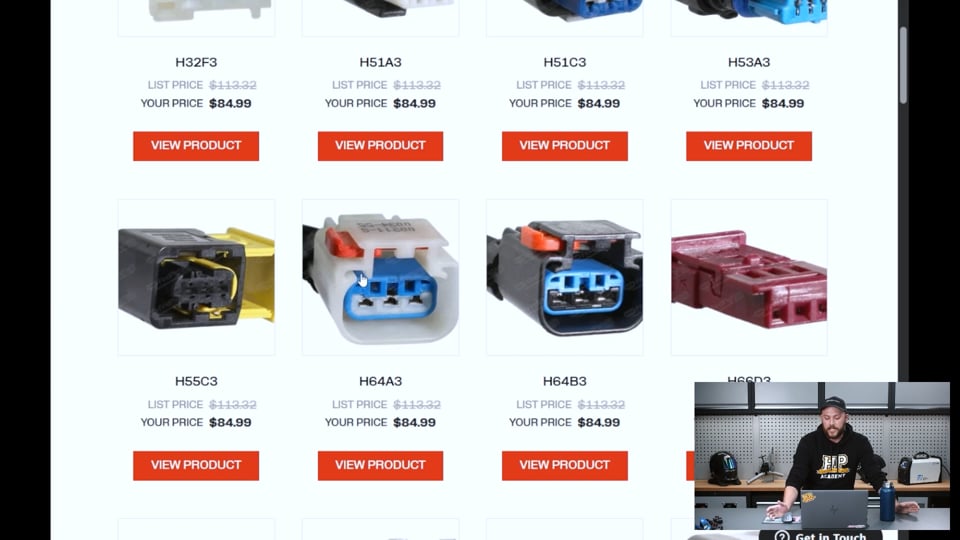
| 03:31 | Another website that I checked out was this one called findpigtails.com. |
| 03:35 | Now, they have a lot of different connectors and you'll probably find something along the sorts here. |
| 03:41 | The problem is they all come with the pigtails, so it wasn't an option for me. |
| 03:45 | Straight up on the first page here, we see the connectors that I want. |
| 03:48 | Now, here's where we have a bit of a problem. |
| 03:51 | I've got two connectors that look very similar. |
| 03:54 | And looking back at our other connector that I found on the website, it is almost identical except for a few key points. |
| 04:01 | No pun intended, it is the keyways that are what you need to look out for. |
| 04:07 | If we have a look at these pictures here close up, you can see these are the keyways here, which are the keyways that lock the direction of the connector as they go together. |
| 04:17 | You can change keyways. |
| 04:19 | Some connectors will have a different keyway to mate only to a certain connector. |
| 04:23 | A good example is with ECUs these days, a lot of ECUs, they use the amp seal connectors. |
| 04:30 | And if we jump over to the overhead cam, I'll give you a good example. |
| 04:35 | The amp seal connectors. |
| 04:37 | Here I've got a couple of the 34 pin connectors. |
| 04:41 | They're really common with aftermarket ECUs these days and lots of other products. |
| 04:47 | These two look almost identical. |
| 04:49 | They're both 34 pin. |
| 04:50 | They're the same color. |
| 04:52 | Everything looks good. |
| 04:54 | But if I went to try and plug this into the same hole, one of them wouldn't fit. |
| 04:58 | One might, but it's a bit of a problem. |
| 05:01 | If you have a look here, see if I can get it in the actual camera. |
| 05:04 | These are the keyways, these lines here. |
| 05:06 | So, they will actually mechanically lock in to a part on the mating connector that only allow these specific connectors into that keyway. |
| 05:16 | So, these two are completely different, well not completely different, sorry connectors, but they are different connectors and will only work with their specific keyways. |
| 05:25 | So, looking back at the computer and what we were looking at with the crank angle sensor connector, we need to be really careful in knowing which way our keyway goes. |
| 05:37 | And the best situation here is to look back at the connector that you've got. |
| 05:41 | If you've got one that's still partially intact and you can see those keyways, that's great. |
| 05:46 | Otherwise you might have to look at the mating connector or the component that they go onto. |
| 05:50 | Really try and look out for these little details because they're the ones that are going to get you in the long run. |
| 05:56 | Going further, so let's say I couldn't find my connector, or actually we'll say it's this one here, but it's got a pigtail still and I want to find a single connector, pins to go with it so I can wire everything up nice and neat and use my specific cable. |
| 06:12 | Because that's the other thing, when you're buying these pigtail connectors, you can't specify what cable you're using, you can't say I want Tefzel with it. |
| 06:20 | You might be lucky and it might come with it, but chances are you won't. |
| 06:23 | These are really directed around repairs in heavy machinery, just workshops, that sort of thing. |
| 06:30 | So, if we want to go further, when I was in this situation I'd seen these connectors, similar connectors before, and I knew that they were a Delphi or Aptiv connector. |
| 06:42 | So, going over to their actual website, they give you a list out of all their connectors, and straight up this can be pretty overwhelming. |
| 06:50 | They have hundreds of connectors, thousands of connectors. |
| 06:52 | So, it's a bit hard to just scroll through and say, hey, here it is, I've found it. |
| 06:56 | But sometimes it gets lucky. |
| 06:59 | I like to just go through the catalogs because, one, you might find something interesting and something you might use in the future, but also chances are you'll stumble upon your connector. |
| 07:08 | If we look here, this one here comes up. |
| 07:11 | It's very similar, and you might think, hey, that's it, but it's a six-way and not a three -way, which is what we need for the crank angle. |
| 07:18 | But this will lead us in the right direction. |
| 07:22 | So, the manufacturers generally bring their connectors out in a family or a certain group. |
| 07:31 | They'll all share similar characteristics, generally use the same terminals, and there'll just be a few different variations for different pin counts. |
| 07:41 | Maybe they'll use pins that have a higher, except a higher gauge wire or a lower gauge wire. |
| 07:48 | And we can see here that this says it is the Apex 2.8 sealed connector family. |
| 07:54 | So, knowing that now, I can kind of narrow down my search. |
| 07:58 | So, if we go back to here, a lot of these websites will have a good search function. |
| 08:05 | Some won't. |
| 08:06 | As I mentioned, Sumitomo, one of the common brands in OEM manufacturers. |
| 08:12 | I went to their website earlier to look at a catalog. |
| 08:15 | As we look here, it's the connector catalogs. |
| 08:17 | But for some reason in their connector catalogs, it's the Sumitomo inserts for lathe machining and whatnot, which doesn't really help us too much. |
| 08:27 | Unless you want to actually machine your own connectors somehow, which wouldn't be impossible, but we'll touch on that maybe another time. |
| 08:35 | Carrying on, we know now Apex 2.8 sealed connector. |
| 08:39 | So, if we look up here, we can actually say we want a three-way connector, which straight away narrows down our search dramatically. |
| 08:46 | We could probably scroll through here and find our connector, but we can go a step further. |
| 08:52 | If we go along, we have product series, we can select the 2.8 sealed. |
| 08:58 | Another thing is to note this same connector has an unsealed version, so no sealing points on the terminal itself. |
| 09:06 | We want the sealed one for our option, so we can select that. |
| 09:10 | That narrows it down again. |
| 09:12 | We've only got how many pages now? Two pages, which narrows it down dramatically. |
| 09:17 | And scrolling down here, we can see that one looks similar. |
| 09:20 | We've got two more here that look similar. |
| 09:23 | Next, page... |
| 09:26 | Quite a few that look quite similar. |
| 09:28 | So, this is where the whole keyway thing comes into real importance. |
| 09:32 | You might just look at them and think, hey, these are different color, but not only are they different color, but looking much closer, this one here has keyways that go to the right, both of them, with a little bit of a different style. |
| 09:43 | This one here, one points into the middle, or they both point into the middle. |
| 09:47 | The white one, it's a little bit hard to see if we actually go into that one, it should show us. |
| 09:52 | It's really hard to see. |
| 09:54 | That makes it even more difficult, especially considering just, spoiler alert, this was the connector that I actually needed. |
| 10:01 | I think it was a bit of a pain to actually find in the end. |
| 10:04 | But that, yeah, so knowing what keyway that is, is pretty important. |
| 10:09 | So, get to that point, you might think, okay, well, how do I make sure that that is the one? The bonus of finding your connector on the actual manufacturer's website or in their documents, they have documents which will be kind of, well, they're called data sheets, and they have down to measurements, what pins, absolutely everything about these connectors. |
| 10:30 | And if we have a look on here, you can actually get CAD models too, which is a big bonus, especially if you're detail-oriented like me with the 3D modeling, and you want to just model absolutely everything, even if it's not completely necessary. |
| 10:43 | So, here in the data loadable documents, we have a technical drawing. |
| 10:47 | This is really helpful if you have the original connector, you can cross reference sizes. |
| 10:53 | This is really small. |
| 10:54 | So, if we look here, it will give us every measurement for the connectors. |
| 10:58 | It's probably quite small for you guys. |
| 11:00 | There we go. |
| 11:01 | And we can get some calipers out and measure our connector and make sure 100% it crosses over and everything is hunky-dory. |
| 11:08 | It also, this data sheet is handy. |
| 11:12 | It gives us a bit of a view of the keyways. |
| 11:16 | So, we can see a auxiliary... I can't pronounce this now. |
| 11:21 | Auxiliary view? Yeah, whatever. |
| 11:23 | This is type A. |
| 11:25 | So, these are the different types of keyways. |
| 11:27 | There's a type A, type B, type C, and a type D. |
| 11:31 | These all have different pictures of the keyways themselves, which are these little points here, where the mechanical locking, well not locking, but mechanical sliding and interaction between the two connectors. |
| 11:42 | So, looking at these from memory, I reckon it was D that I needed. |
| 11:49 | I reckon that matched our, if we look back at our connector. |
| 11:53 | So, we've got to kind of think how it's actually drawn. |
| 11:56 | So, we're looking straight into the connector. |
| 11:58 | Locking tab is actually upside down, which is sometimes a bit counterintuitive. |
| 12:02 | You'll look at a connector with the locking tab up, but just make sure you're holding everything the right way. |
| 12:06 | We can tell looking at this as well, you're sort of on the terminal side, not the wire side. |
| 12:11 | So, looking at this, our keyway on the right here, which will be the left on the picture, sort of facing in, curls around. |
| 12:24 | So, that's going to be... now I'm getting all confused as well. |
| 12:28 | Yep, spin it upside down, it's that one there. |
| 12:31 | So, that is wrong. |
| 12:33 | That's not going to be the connector that I need because it faces outwards and not inwards, unless I'm... actually no, sorry, correct me. |
| 12:40 | I'm going to correct myself there. |
| 12:41 | Looking at this a bit wrong here, it's... we need to look at the gap here, which is around the terminal housing of the connector. |
| 12:50 | And you can see that gap comes down and points inwards towards the locking tab, which looking at the connector, you can see how it does that here. |
| 12:56 | Comes up alongside the terminal housing and points back in towards the locking tab. |
| 13:02 | So, that side is actually good with type D. |
| 13:05 | Still, we look at the other side and it's really hard to see on this picture, but we know what family we have now. |
| 13:11 | We are on the right track. |
| 13:13 | Let's go a bit further. |
| 13:14 | And where would we actually buy these from? Now, some of the good websites you can buy direct from TE themselves. |
| 13:22 | They will specify some other companies that will sell products. |
| 13:27 | The Aptiv site is really good. |
| 13:29 | It actually shows you here where you can buy it from. |
| 13:32 | So, Mouser is a really good one. |
| 13:33 | That's a company I use a lot. |
| 13:35 | We've got TTI Americas, some other companies that I've used before, similar to Mouser, like Element 14, RS Components. |
| 13:43 | They all have these connectors usually. |
| 13:46 | Problem is sometimes you'll go to their website like this, Mouser, and it's kind of overwhelming. |
| 13:50 | They have absolutely everything as far as electrical goes. |
| 13:53 | And when they come to connectors, they've got heaps. |
| 13:56 | Like it's in the millions. |
| 13:58 | And even just going to automotive connectors, you're presented with a whole heap of different connectors, different housings, the works. |
| 14:06 | So, to narrow this down, we can straight up just do a search for this part number now, because we've got this here. |
| 14:11 | We can even, if I click on the buy now button, it's taken us, we won't worry about where we are. |
| 14:17 | Okay, it wants to New Zealand. |
| 14:21 | That's our connector. |
| 14:23 | We still want to know that little key way there, which is a real pain. |
| 14:29 | But I reckon I did find it eventually. |
| 14:32 | Anyway, this is, so this is a better option as far as if you want to buy a lot of a connector, they offer bulk pricing for multiple connectors. |
| 14:42 | You can buy the terminals directly from them. |
| 14:45 | You're not left to have the pigtail and purely what they supply. |
| 14:51 | It's one of my go-to ways as far as buying connectors. |
| 14:55 | There are some problems you run into, particularly when you're looking for terminals, they might have minimum order quantities. |
| 15:02 | Some of the terminals you have to buy a thousand, 5,000, 10,000 just to buy them, which for someone who's just fixing the cam angle sensor connector on their car, really not a viable option. |
| 15:15 | So, you know, sometimes you might be forced into the pigtail route, but even then sometimes like you might be able to buy that connector and actually here's a great bit. |
| 15:25 | How do you even notice this? But there shows us really well how that key way is. |
| 15:29 | And we can zoom in on it and we can see that actually faces the same way as the other side. |
| 15:33 | So, just to derail a little bit, if we go back to this drawing, if we go to D, that's facing inwards and this is the gap point here which then faces the same way outwards. |
| 15:48 | Which if we have a look here, move things around so we can kind of zoom in, that's the wrong one. |
| 15:53 | There it is. |
| 15:54 | That looks almost identical I think. |
| 15:58 | Actually let's just do this to make things easier. |
| 16:01 | Sorry to disorientate everyone. |
| 16:05 | I've disoriented myself. |
| 16:07 | There we go. |
| 16:07 | All right, that's type A, up the top. |
| 16:10 | We can actually look here now, go back and forth, if I can get the tabs right. |
| 16:17 | And they are, that's identical. |
| 16:19 | So, we know now type D is our key way. |
| 16:22 | The great thing about this, the data sheet will have a part number somewhere if I can stop disorientating everyone and actually find it. |
| 16:32 | So, they'll have a section here which will have all the information. |
| 16:35 | A lot of the times this will be variation, changes, that sort of thing. |
| 16:41 | And even this can be a bit confusing as to what you've got here. |
| 16:48 | What have we got? So, yeah, you have revision types, I'm not even sure what MP stands for on this, type which is our key way, A, B, C, D, and our part numbers. |
| 16:59 | Honestly this is a bit confusing as far as how much information you got here. |
| 17:04 | They show you the seal connectors, the ones without seals, locking retainers, everything's sort of separate. |
| 17:09 | So, this probably isn't the best option as far as getting just a specific part number, but we can still use this to know we want our D key way. |
| 17:19 | If we go back to Aptiv, I gotta stop mucking up these tabs, should say here somewhere. |
| 17:28 | Here we go, attributes of this single connector. |
| 17:32 | And it doesn't actually tell me the key way. |
| 17:37 | Locking lance. |
| 17:39 | It does also tell you all our measurements here which is great, so we can cross-reference again. |
| 17:44 | Gives you good information as far as operating temperatures which is key when you're working around engine bays. |
| 17:51 | But it doesn't actually tell us those key way specific... |
| 18:03 | All right, I'm not sure how I got around this when I was working on it, but I think I was just pretty sure that this was the one. |
| 18:09 | Which sometimes that's what you end up getting down to. |
| 18:12 | Go back to where we were. |
| 18:13 | So, we're at Mouser and we want to find this connector. |
| 18:17 | So, how do you do it? If you haven't got any of that previous information, you may just have to sort of go through all your different manufacturers, which isn't really time effective. |
| 18:26 | But we can see here we can actually search Aptiv directly and it's similar to our website. |
| 18:33 | We get all the different information here. |
| 18:36 | We can select a three-way connector, male or female, which again is another point you really need to look at. |
| 18:42 | So,me connectors, while it might be a socket plug housing, they can often accept a pin or socket. |
| 18:50 | And if you get a plug and a mating housing, both with pins, they're not going to go together. |
| 18:56 | Unfortunately, it just doesn't work that way. |
| 18:58 | So, you have to make sure whether your housing is a pin or socket specific. |
| 19:04 | And if we look through here, there's so much different information. |
| 19:08 | We want a sealed. |
| 19:10 | And we can sort of just keep going through and picking different specifics and it will slowly dwindle our options down, apply our filters. |
| 19:21 | And that should give us 103 results, which still, it seems like a lot, but you know, it's not that hard just to sort of scroll through here and find our connector. |
| 19:31 | So, if it keeps going, so there's one, but we know this one, that's definitely the wrong key way. |
| 19:39 | Sometimes it helps these websites have a compare function. |
| 19:43 | You generally tick the ones you want and you can then look at them side by side, which gets really handy when you've got a few that look very similar. |
| 19:51 | And we basically just got to keep looking. |
| 19:53 | Unfortunately, a lot of time when you're looking for these unusual connectors, a lot of your time is spent just looking through websites, through manufacturer catalogs. |
| 20:03 | Again, wrong, I think that's the wrong housing completely. |
| 20:12 | And this is probably going to take a bit too long, but you can just keep scrolling and it should be there somewhere. |
| 20:18 | To skip that though, I'm going to simply, well, what I would normally do once I found it on the Aptiv website, copy that part number, punch it straight into Mouser and it should come up. |
| 20:28 | Sometimes you might come up with a few options. |
| 20:31 | If we search for, we should be able to search for Apex 2.8. |
| 20:43 | And that straight away tells us the Aptiv connectors. |
| 20:45 | It's given us 280 results in that series because there is that, as I said, the family is called Apex 2.8. |
| 20:52 | There's a lot of different variations and sizes. |
| 20:55 | We can sort of narrow it down here between connectors and terminals. |
| 20:58 | That's another point that Mouser has the terminals specific, which I'll go into a bit later. |
| 21:06 | To get more, what do you call it, filtering, you need to click on one of these. |
| 21:11 | So, we'll click on automotive connectors. |
| 21:13 | There we go. |
| 21:14 | Now, we get our positions three-way. |
| 21:16 | Let's just apply that one. |
| 21:19 | And that's narrowed us down to 15. |
| 21:20 | This should be a lot easier to look through. |
| 21:22 | Straight away, we've got these two. |
| 21:25 | There's our other color, which had a different key way. |
| 21:28 | I think that is the opposite to the one we wanted. |
| 21:31 | And then we have our clear one. |
| 21:33 | Still can't see it very well, but we know going from the Aptiv website here, we're pretty damn sure that's the one because I mean, looking at the rest of the connectors, sorry, you can narrow it down as well. |
| 21:46 | We've looked at all the other connectors. |
| 21:48 | We've seen that it's only the clear one that has our specific key way. |
| 21:54 | So, that would be the best option to go there. |
| 21:56 | I've just splashed water in my eye. |
| 21:58 | Anyway, continuing on. |
| 22:00 | Next, thing you're going to want to look at is terminals. |
| 22:04 | There's millions and millions of different types of terminals out there. |
| 22:07 | So, often that can kind of be the hard point is finding a terminal that actually suits your connector. |
| 22:13 | One of the things you can do if you have the terminal from your connector, it helps to be able to measure it and compare it to what you've got out there. |
| 22:22 | But also when I was talking about documents that come with and the benefits of finding the specific connector and their manufacturer, you get things like a family brochure, which will come up with something like this. |
| 22:39 | Now, this one's actually a bit more intricate. |
| 22:42 | So, that's just a sort of a sales point. |
| 22:45 | The one I'm looking for, I think series data sheet. |
| 22:51 | Yeah,, this is the one. |
| 22:52 | So, this will actually show us all the part numbers and things of those connectors. |
| 22:55 | Gives us a bit of a better view than the data sheet, the drawings. |
| 22:59 | They can be, you know, they're a bit confusing sometimes as far as what way you're looking at. |
| 23:03 | And this is just a good quick reference. |
| 23:05 | Yep, that looks like the one we want. |
| 23:07 | And if we go down here, this is where we actually get our part numbers. |
| 23:11 | So, cavity count, that's our pin count. |
| 23:14 | We know we want a three pin one, male and female. |
| 23:17 | We want the female socket version. |
| 23:20 | I'm pretty sure for these. |
| 23:21 | That's the thing that can be kind of confusing is the way they go together. |
| 23:25 | A good example of this is Deutsch connectors, the DTM DT connectors. |
| 23:30 | For a socket, they use a pin and for a plug, they use a socket. |
| 23:38 | The other way around kind of thing. |
| 23:39 | So, it's a bit counterintuitive as far as, you know, what you should see and what you'd call a socket and what you call plug. |
| 23:46 | So, you might need to do a bit of a search to try and differentiate which one it is. |
| 23:51 | And even this, it doesn't actually say it. |
| 23:52 | It says sealed connector. |
| 23:56 | Compatible parts. |
| 23:57 | This actually gives you the terminal number, which is handy. |
| 24:01 | I'll touch on that in a minute just so I don't get too distracted here. |
| 24:05 | Going back to here. |
| 24:06 | So, this shows us our index, which is our keyways. |
| 24:10 | So, this is saying A, that's generally your main keyway. |
| 24:15 | Most of your connectors will have a generic sort of main keyway that that's the main one they sell. |
| 24:22 | Deutsch has this as well. |
| 24:23 | You might sometimes might not be familiar with it, but there's the main Deutsch connectors that you buy, but they can also come in different keyways. |
| 24:30 | Excuse me. |
| 24:32 | I think their 12 pin DTMs come in different keyways and different colors that only mate with that specific color and keyway. |
| 24:39 | So, you do still have to be a bit careful, but they generally have their main connector that you can find. |
| 24:45 | So, here we know we're assuming so far that it is offset or index D. |
| 24:51 | So, we can see here, it'll give us a, should give us a how to search the part number. |
| 24:58 | Should have checked this beforehand. |
| 25:00 | It's just given the part number. |
| 25:04 | Generally, you'll add something onto the end of it to say which part it is. |
| 25:09 | Let's just, this might be a good example of having multiple examples. |
| 25:15 | So, if I punch that part number into Mouser that is not the connector that we wanted. |
| 25:22 | So, let's go back here. |
| 25:23 | Where did we go wrong? Three pin. |
| 25:25 | So, it could be the female version. |
| 25:28 | Gonna get rid of that for now. |
| 25:32 | So, this has given us two options and I reckon that's still different connector slightly. |
| 25:40 | So, if we have a look back here, this is where it helps. |
| 25:43 | You just got to keep up. |
| 25:45 | Unfortunately, a lot of tabs, if you're the kind of person who doesn't like having tabs, it can't really be helped with these. |
| 25:49 | Looking at these two, they do look pretty similar, but actually no, I think that, yeah, that is the connector. |
| 25:55 | It's just from a different angle. |
| 26:00 | Don't have any more pictures on that one. |
| 26:03 | So, that's still the one, but we've still got the wrong key way. |
| 26:06 | So, why can't we find that one? This is the confusing part sometimes, and I'm giving you a real world example of how frustrating it can be. |
| 26:18 | Let's go back to searching. |
| 26:19 | We're going to search automotive connectors. |
| 26:24 | We want the Aptiv 2.8 Apex. |
| 26:32 | I swear this worked for me last time. |
| 26:39 | So, there are the different options here. |
| 26:41 | So, the clear ones even come in different pin counts, 14 way. |
| 26:48 | There's millions of connectors out there, unfortunately, and it can get confusing. |
| 26:52 | So, we're back to this. |
| 26:53 | So, that's the one style we had. |
| 26:57 | Sometimes you can actually, if we go into that one, sorry, I went too far. |
| 27:05 | View product details. |
| 27:07 | It'll give you links here to the company, manufacturer, it'll tell you. |
| 27:15 | So, this is telling us now this is a receptacle female. |
| 27:17 | So, that's good information to hold onto. |
| 27:20 | Dimensions, family, the Apex. |
| 27:23 | And these will probably be the same data sheets as the website. |
| 27:27 | Yep. |
| 27:32 | And this gives you good information as well, saying that it compatible with the Apex 2.8 series terminals. |
| 27:38 | So, they do have a range of terminals. |
| 27:41 | This is I'll just touch on this now. |
| 27:44 | The advantage of finding your connector through somewhere like Mouser and the original manufacturer is they often have a variety of pins that are usable and they generally just have a, they can accept different gauge wire, which can be really handy if you're wiring something in a bit differently or you're using Tefzel or TXL, you might need a different terminal that's going to work properly with that connector, which is where you kind of get the problem with the, what do you call it? The pigtails. |
| 28:17 | They are set to a certain gauge. |
| 28:20 | You can't choose it. |
| 28:21 | And you might be going from one gauge to a different gauge, which just gets kind of messy. |
| 28:26 | So, have a look at the actual catalog here. |
| 28:27 | This might give us a better bit of information. |
| 28:34 | So, this is the active catalog for absolutely everything. |
| 28:37 | So, this is, you know, we're going to have a heap of information here. |
| 28:40 | A good tip here is just use the Ctrl-F find function in a webpage and we can search for APEX. |
| 28:49 | That's telling us, there we go, we've got the page 12. |
| 28:53 | So, we might be able to just quickly go here, search page 12, and unlock. |
| 29:00 | There we go, APEX 2.8 terminals. |
| 29:02 | And see, this is the example here. |
| 29:07 | These are all the options as far as terminals. |
| 29:09 | And important point, sealing. |
| 29:12 | A lot of these are unsealed. |
| 29:13 | For our particular application, we wanted the sealed options. |
| 29:17 | So, we're really only going to look at these. |
| 29:19 | So, looking at that, they only come in the female gender. |
| 29:23 | This is, it's probably just the way that the connectors are. |
| 29:26 | Most of these connectors were probably made for connecting to a sensor, like our Crankigill sensor in my example. |
| 29:34 | And we can see here, so these terminals, even though they're all different part numbers and accept different wire gauges, they will fit every APEX 2.8 family connector. |
| 29:44 | So, even if you've got the 4 pin, 8 pin, 12 pin, they will all fit the same connector. |
| 29:50 | And looking at this wire range size, we got our gauge and in millimeters squared, which is really handy information. |
| 29:57 | In my example, I was using 20 gauge wire. |
| 30:01 | So, I know straight up, that's our terminal there. |
| 30:03 | We can, we should be able to just copy that over into Mouser. |
| 30:10 | And straight up, you see, we got a couple of options here. |
| 30:13 | What's the difference? Basically, as I said before, sometimes you need to buy in bulk. |
| 30:19 | They luckily have the option here. |
| 30:21 | We can buy a reel of 2300. |
| 30:23 | Not really necessary for my application. |
| 30:25 | I wasn't going to swap that many Cummins engines into patrols. |
| 30:29 | So, here we have our second option, the L at the end. |
| 30:32 | It refers to how the terminal is supplied. |
| 30:37 | So, in the bulk option, they come on a reel. |
| 30:41 | It's full of the terminals and they're all bundled together on, you know, the metal strip that you get. |
| 30:48 | Whereas these ones, they're a loose and that's the L at the end. |
| 30:51 | So, it's a single loose connector. |
| 30:52 | If you buy 25 of them, 50, you'll get loose terminals. |
| 30:56 | And that's just the difference between these two. |
| 30:59 | So, looking at this, we want to obviously buy a loose terminal. |
| 31:02 | You can go into here. |
| 31:03 | We got our buying options, really good because we don't want to buy too many. |
| 31:07 | We can just buy the three we need. |
| 31:09 | I would buy a four, four or five, just get some extras. |
| 31:13 | It's really helpful to, you know, have a test crimp, stuff it up a few times, get it absolutely perfect. |
| 31:18 | So, you get those really perfect crimps. |
| 31:20 | Most of you have probably watched our wiring fundamentals courses and things like that. |
| 31:25 | So, you probably have got crimping down pat, but, you know, sometimes it helps to practice. |
| 31:31 | So, that's, you know, the best way to get terminals on something like Mouser. |
| 31:36 | And I don't think I still haven't actually found that proper connector yet, which is beginning to worry me. |
| 31:42 | But if we go back to the full catalog, we might have a better option here. |
| 31:46 | And also I should note, because we wanted the sealed option, the seals are separate. |
| 31:52 | And for this, we have to look at the cable size. |
| 31:56 | So, this will be where the conductor still has insulation on it, the wiring size around it. |
| 32:03 | They basically just have different colors to identify these. |
| 32:07 | And we'll need to, we should be able to just cross-reference that over again. |
| 32:15 | And that is not it. |
| 32:16 | And that is a bad example of that. |
| 32:18 | So, why did that not cross over? I've picked a great example here, haven't I? So, let's go back. |
| 32:36 | What number was it? We need to have a look here, what number we've actually searched for. |
| 32:41 | So, putting that number in, it is the manufacturer part number for these TE terminals. |
| 32:48 | They have dashes in them, which might be, ah sorry, it doesn't have the one in front, so maybe that's where it's gone wrong. |
| 32:53 | So, Mouser may actually not have the proper seals for these. |
| 33:01 | Yeah, keep searching for that. |
| 33:03 | Terminals, connectors. |
| 33:06 | If we go back, generally they will have here other parts and products that match. |
| 33:23 | We might just have to go to the data sheet. |
| 33:26 | Like I said, it's a lot of searching around, unfortunately. |
| 33:31 | Part number, they actually don't have the seals here. |
| 33:36 | Now, this might be a data sheet specifically for the unsealed. |
| 33:40 | Here we go, unsealed, matte sealed, cable sealed. |
| 33:43 | Okay, they have their sealing options. |
| 33:46 | I won't go too deeply into this, but it'll be a bit more searching and you'd be able to find those cable seals separately. |
| 33:51 | Might even be from a different company like TE or Element14. |
| 33:54 | Unfortunately, sometimes you might have to shop around. |
| 33:56 | Just so we don't sit here forever, I'm not going to go too deeply into that. |
| 34:01 | It gives you a bit of an idea of tracking down an OEM connector, going through Google search or going to the company catalogs and finding the family of your connector. |
| 34:16 | Because at the end of the day, you might go somewhere like EFI hardware. |
| 34:20 | And while I know what I'm looking, I might be looking for a Toyota what do we got here, knock sensor connector. |
| 34:29 | That's really easy to Google search and a search into these. |
| 34:32 | But at the end of the day, this isn't actually, it's not called a Toyota knock sensor connector. |
| 34:37 | It's going to be one of the other brands like Simitomo or Delphi, that sort of thing. |
| 34:43 | And they're going to have their own part numbers. |
| 34:45 | And it's generally a bit harder to find. |
| 34:48 | These websites are really good in that they'll find them and label them as what they're actually intended for on the vehicle. |
| 34:55 | Makes it a bit easier for us to search for. |
| 34:57 | You can see in this one, you'll get a pin and a cable seal. |
| 35:00 | So, we don't have to do searching for that cable seal and end up empty handed. |
| 35:05 | But it is just, it's, you know, you might be in a situation where you want to get a different cable size. |
| 35:11 | These will generally suit a fair range of gauge wire, but sometimes in some weird application, you might have to do it differently. |
| 35:19 | And that's when you have to go delving deep into Mouser and catalogs. |
| 35:26 | Just look at my notes quick. |
| 35:31 | So, some of the bigger companies, you've got TE, they've taken over quite a few manufacturers and find things like Deutch there. |
| 35:40 | Molex is another good one that's used a lot. |
| 35:43 | Abdiv, which was Delphi. |
| 35:44 | Denso. |
| 35:45 | Sumitomo. |
| 35:46 | A bit of a Google search and you'll generally find who's making for what. |
| 35:50 | Because generally you'll have companies, Toyota, Honda, GM, they'll sort of stick to certain manufacturers. |
| 35:59 | GM likes to use Delphi and Molex, whereas your JDM cars like to use the TE and Sumitomo, that sort of thing. |
| 36:07 | Cummins, the one that I recently did, they like to use Deutch connectors, which is really handy because they're really easy to get. |
| 36:13 | But you just, yeah, Google search really is a big friend of yours. |
| 36:17 | As far as other places you can find, there's some really good Facebook groups out there. |
| 36:22 | Forums, our forums in particular as well. |
| 36:25 | Jump on there, give a picture of your connector. |
| 36:28 | Some measurements really help, especially with terminals. |
| 36:30 | You need to get the terminal dimensions absolutely spot on, otherwise they just won't go into that connector. |
| 36:36 | Post them on there and there's usually someone who has probably seen that connector and will be able to tell you. |
| 36:41 | So, that can be really handy as well. |
| 36:45 | What else can we touch on? Any questions, we'll wait to the very end, but just make sure you chuck them in the chat and we'll get to them a bit after. |
| 36:54 | If you're watching this later, chuck them in the forums. |
| 36:57 | Or you can email directly at our support at hotmail at hpacademy.com. |
| 37:03 | I haven't used a Hotmail account in years. |
| 37:07 | Alternative manufacturers, that's a good point to touch on. |
| 37:10 | So, while we were looking at the Aptiv directly, there are some companies out there that will make aftermarket connectors that are a pretty much a direct copy of the original manufacturers. |
| 37:26 | Sometimes this is like in a lot of those kind of cases where they're copies, they are a cheap copy, the terminals aren't quite up to scratch, that sort of thing. |
| 37:34 | But there are also situations where this is really handy. |
| 37:38 | A good example of this is the Denso air temp sensor connector, which is found on GM style air temp sensors and pretty common in some aftermarket temp sensors. |
| 37:59 | This is the original connector, direct from Delphi, as you can see here. |
| 38:06 | Now, the problem with this one, it all works fine, you won't have any issues with it. |
| 38:10 | But if you've done a lot of wiring, you might have come across a pull-to-seat connector, and that's what this is. |
| 38:16 | So, you basically have to feed wire through your connector first, then you strip the wire, crimp your terminal, and then pull it back and that is what actually locks it in. |
| 38:25 | This can be a bit of a pain in the arse when you've got heat shrink, you've shrunk all the way up to close to the connector, your intention was to fully seal the connector, but you still need to leave that length where you can actually pull the wire back and have enough length to crimp onto. |
| 38:40 | So, getting back to my point of aftermarket, these have an aftermarket option, which if we go back to air temperature here, so these are the actual sensors it's to suit. |
| 38:52 | We have a Delco option here, which is still, actually I think it is a Delphi connector still, but it's an alternative option and a lot of aftermarket will do a similar thing. |
| 39:03 | This is a, I went to the same one, that's okay, it's a pull-to-seat, oh god, pull-to-seat, I went to the same one didn't I? This is it, push-to-seat, that's what we want, push-to-seat, that's your, the more common terminals that you're used to, push them in from the back and they will lock in and it's a lot easier to deal with. |
| 39:22 | So, in that sort of situation, a bit of searching around and you can actually find a connector that is better suited to the situation. |
| 39:29 | Still, either or, they're both going to work in the end of the day, it's more up to you and what you want to do, what's easier for you. |
| 39:38 | And talking about that, we'll touch on crimping. |
| 39:41 | So, a lot of these connectors, the crimps will be pretty similar. |
| 39:46 | They'll generally use some sort of F-type crimper. |
| 39:48 | A good example I've got here, if we just jump over to the overhead again, the Sargent Delphi crimpers. |
| 39:57 | So, these are intended for, I think they're metri, metri-pack connectors. |
| 40:02 | They have that W sort of style crimping which is pretty common. |
| 40:08 | If you get something like this, a lot of these terminals will be that sort of style, but also you'll want to have crimpers that can crimp over your round seals as well, because as you can see in this picture, we've got the seals, they need that round crimping style as well. |
| 40:27 | But they're all pretty generic terminals, and that's, well as far as the crimping goes, sorry. |
| 40:32 | And that's where sort of having an extra terminal, it comes in really handy to get that crimp right. |
| 40:38 | If our hardware is really good with this, they will actually send you a spare little baggie with an extra terminal. |
| 40:43 | I think they say something on there about, you know, mistakes happen, so here's an extra terminal which is always nice. |
| 40:48 | But again, if you're getting through somewhere like Mouser, you can actually buy, I mean hey, buy 50 if you want, do multiple different types of crimps, see what works best, make sure you do your pull test, and away you go. |
| 41:01 | And in a situation you might find, you know, at the end of the day you can't find that connector. |
| 41:07 | Sometimes OEM manufacturers, they will buy a, or get a connector manufactured, and it'll only be for that specific use. |
| 41:16 | The company won't bring it out for anything else, they won't sell it separately. |
| 41:21 | Sorry, and in that situation, you know, you've got no option, you can't, you've got to reuse what you've got, or find another option. |
| 41:28 | So, what do we do? As we've touched on I think before, in, but also in our courses, is potting. |
| 41:36 | Use a common connector like a DTM. |
| 41:38 | You can, the advantages are you've, it's really easy to get that connector then. |
| 41:44 | It's a bit more work, you've got to, you know, solder onto your sensor or component, pot it, make sure everything's done properly, seal it. |
| 41:53 | By the end of the day you're left with a really reliable connection, and you've also got a really accessible connector that you can find pretty much anywhere, have some spares on hand, and you're good to go. |
| 42:03 | So, sometimes that might actually be a better option before you've gone, you know, half an hour deep on Mouser trying to find the connector. |
| 42:10 | Have a think, do I really need this connector? Yeah, at the end of the day, could I pot it? Could I have a flying lead? That's, you know, your own design, Tefzel, and get away with that. |
| 42:21 | And at the end of the day, that could be a better option. |
| 42:26 | Um, what else have I got here? Measuring terminals and cross-referencing, that's, so the terminals themselves will have a data sheet just like the connectors that I showed. |
| 42:36 | That's another bad example. |
| 42:40 | Most of them will have a data sheet. |
| 42:43 | Drawing, here we go, technical drawings, that's what you want to find. |
| 42:46 | And of course it can't find it. |
| 42:49 | Okay, well that's a bit of a technical issue there, but... and a bad example. |
| 42:53 | A lot of the terminals you'll find, they'll have the technical drawing similar to what I was showing with the connectors, and they'll give you all your measurements. |
| 43:01 | And it's really good to get some calipers out, measure your terminal if you have one pulled out from a connector, something like that, and cross -reference those measurements. |
| 43:11 | Because then at the end of the day, you know exactly what you got. |
| 43:13 | And you won't be guessing like I have been with this crank connector. |
| 43:18 | At the end of the day, I did find the right connector and everything was all sweet. |
| 43:20 | I just want to make that point. |
| 43:24 | So, we're getting sort of towards the end here, so we might look at asking some questions. |
| 43:30 | Chuck them into the chat real quick and I might be able to get to it. |
| 43:32 | Otherwise again, jump on our forums, there's heaps of information there. |
| 43:36 | Chuck up another question and someone will get to it and answer it hopefully soon. |
| 43:41 | Or email us at the support at hpacademy.com. |
| 43:47 | So, let's have a look at what questions we've got here. |
| 43:55 | So, we've got Steve Law 2000. |
| 43:58 | How far back do they go for older connectors? I think you're referencing this as like, you know, Mouser and that sort of thing. |
| 44:06 | You know, how far can you get, you know, your older JDM maybe. |
| 44:12 | That is a bit of a problem because, you know, they're always bringing out new connectors for newer cars. |
| 44:16 | So, they won't always, especially on their website, list some of the really old connectors. |
| 44:22 | They might have a section specifically dedicated to discontinued terminals and connectors, in which case that might be a situation where you have to try and track down an alternative or that might even be the point where, you know, putting is better. |
| 44:37 | So, that is sometimes the case where, you know, you might be forced into one of the alternative options. |
| 44:44 | Generally, speaking though, you should be able to find most connectors. |
| 44:48 | They do reuse things a lot and, you know, if a connector works and isn't broke, why fix it? I think some of these connectors on EFI hardware, they go back pretty far. |
| 44:59 | Like these are from, you know, very early 90s, 80s cars. |
| 45:05 | And another question we have is probably not a good idea, but have you ever modified a keyway in order to force a connection? Look, nothing comes to mind. |
| 45:16 | I can't say I've done that before. |
| 45:18 | I mean, don't take this as Bible, but at the end of the day, you're not so much, I guess, modifying the actual locking mechanism or how the pins go together. |
| 45:31 | So, it probably wouldn't be a problem. |
| 45:33 | It's just, it's one of those things where, you know, if you're cutting up a connector, it might not be the best. |
| 45:39 | It might be worth just going and finding that actual connector. |
| 45:44 | But also, you know, if it works, is it really that stupid? A lot of these, if you've, if you are able to get your hands on one connector of a certain keyway, you should be able to find the specific one that you're looking for. |
| 45:58 | In my personal professional advice, I'd say don't go cutting up the connector, but hey, if you're willing to do that and you're really in a jam, it probably would get you through. |
| 46:07 | So, that's all the questions we've got here. |
| 46:09 | Again, if you're watching this later on the recorded version, you will have to put your questions up in the forum or email us, but we will do our best to get to them. |
| 46:18 | Other than that, hopefully this has given you a bit of insight into finding an OEM connector. |
| 46:23 | It's not always the easiest and sometimes you might have to go a different route, but there are lots of information out there, lots of websites. |
| 46:31 | Like I said, the forum, sorry, Facebook groups and forums are really good for reaching out to people and getting that information, because there's people out there that have this kind of information just stored in their brain, ready to go, and they're more than keen to get it out there. |
| 46:46 | And that's pretty much it. |
| 46:48 | Again, any questions, email support@hpacademy.com, not hotmail.com, and we'll see you next time. |
00:00 - Introduction to Identifying & Sourcing OEM Connectors
00:41 - Common Connector Challenges in Wiring Projects
01:08 - Real-World Example: Cummins Crank Angle Sensor Connector
02:06 - Understanding Pigtail Connectors vs. Separate Terminals
02:43 - Specialty Wiring Suppliers: EFI Hardware & M-Cell
03:25 - OEM Brand vs. Actual Manufacturer (Delphi, Denso, Sumitomo)
04:31 - Using findpigtails.com to Locate Connectors
04:54 - Critical Importance of Keyways in Connector Selection
05:35 - AMP Seal Connector Example: Understanding Keyway Variations
06:48 - Navigating Manufacturer Websites: Delphi/Aptiv
09:30 - Searching Mouser Electronics for Connectors
12:00 - Using Search Filters & Part Number Cross-Reference
14:55 - Reading Technical Drawings & Data Sheets
18:00 - Identifying Connector Families & Series Numbers
21:00 - Finding Compatible Terminals for Your Connector
24:00 - Understanding Male vs. Female Terminals & Housings
27:00 - Wire Gauge Compatibility & Terminal Selection
30:00 - Sourcing Seals & Secondary Locks
33:30 - Crimping Tools & Terminal Installation Tips
37:30 - Alternative Options: Potting Connectors





