If you have started looking into reflash tuning, ECM Titanium is a name you will have run into quickly. It sits alongside WinOLS as one of the most commonly mentioned map editing tools in the reflash tuning space, and like WinOLS, it often gets lumped in with flashing hardware in ways that make the whole ecosystem feel more complicated than it needs to be. This article breaks down what ECM Titanium actually is, how its driver system works, what hardware you need alongside it, and how to figure out whether it is the right tool for your situation.
In this article: What ECM Titanium Does | How Drivers Work | Hardware: What You Need Alongside It | ECM Titanium vs WinOLS | Conclusion
What ECM Titanium Does
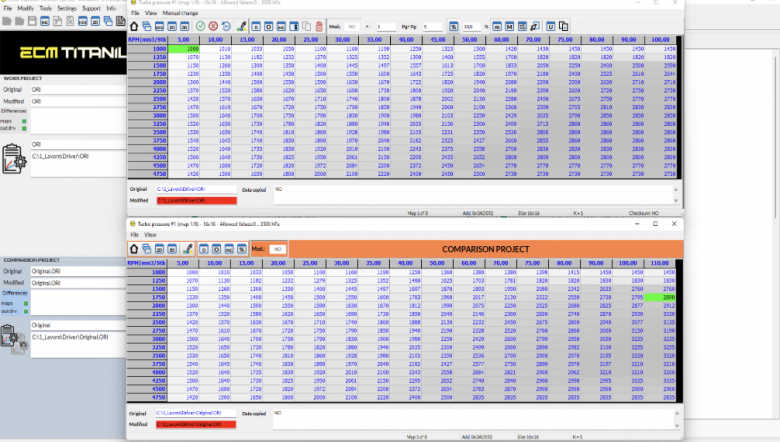
ECM Titanium is a file editing platform developed by Alientech. It is designed to open a binary file read from a vehicle's ECU, present the calibration data inside it in a structured and readable way, allow you to make changes to maps and parameters, and then save the modified file ready to be written back to the ECU.
It is not a flashing tool. ECM Titanium does not connect to your vehicle or communicate with the ECU directly. That side of the process requires a separate piece of hardware. What ECM Titanium does is give you the workspace to actually edit the calibration data -- the maps covering fuel injection, ignition timing, boost pressure, torque limits, rev limiters, and other engine management parameters -- between the read and the write.
The software runs from a USB dongle, which also holds your license. It does not require a fixed installation on a PC, which means you can carry your entire setup on the dongle and plug it into any compatible Windows machine. Calibrations and original files are stored on the dongle too, keeping everything in one place.
How ECM Titanium Drivers Work
The driver system is the central feature of ECM Titanium and the thing that most clearly sets it apart from WinOLS.
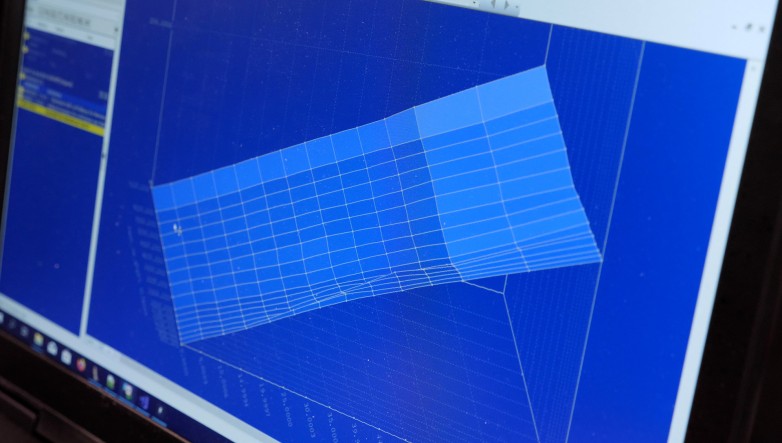
When you pull a binary file from an ECU, what you have is a large block of raw hexadecimal data. Without context, none of it is immediately readable or usable. A driver is a pre-built definition file that Alientech's technical team has produced for a specific ECU. When you load a file into ECM Titanium and apply the correct driver, the software maps the raw data against those definitions, presenting the calibration parameters in labelled, structured tables and graphs. You can see your fuel map labelled as a fuel map. Your torque limiters appear as torque limiters. The work of locating and identifying what everything is has already been done for you.
Alientech maintains a database of over 100,000 drivers covering ECUs across cars, bikes, trucks, tractors, and marine applications. When you load a file, ECM Titanium automatically searches for a matching driver. If it finds one, the file opens fully defined. If there is no driver for a specific ECU, you can request one from Alientech's technical team. Drivers are downloaded to your dongle and remain available offline once acquired. The Full version allows up to 100 driver downloads per day. The Credit version lets you pay per driver rather than committing to full access, which can be a reasonable entry point if you only work on a narrow range of vehicles.
ECM Titanium also handles checksum correction automatically. Whenever you modify a value in the file, the checksum -- the sequence of data the ECU uses to verify the file's integrity -- needs to be recalculated. ECM Titanium does this in the background. Without correct checksum correction, a modified file will cause the ECU to reject it entirely, and in the worst case that means a car that will not start. Having this handled automatically is a meaningful safety net.
Hardware: What You Need
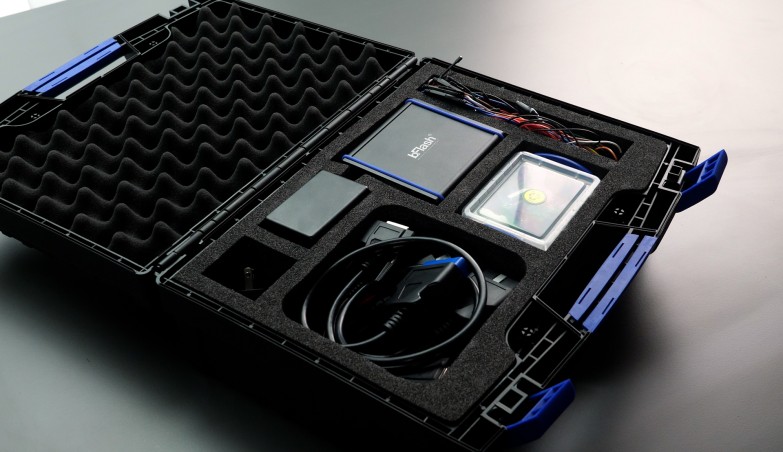
Because ECM Titanium is a file editor and not a flashing tool, just like WinOLS you need separate software and hardware interfaces to read from and write to the ECU. The workflow is straightforward: use your flashing hardware to pull the binary file from the ECU, open and edit that file in ECM Titanium, then use the hardware again to flash the modified file back.
The natural hardware partner is the Alientech KESS3 (you need the Master tool version), which supports OBD, bench, and boot mode reading and writing across a wide range of vehicles. That said, ECM Titanium works on standard binary files, and a binary file is a binary file regardless of which tool produced it. If you are already using a different flashing platform -- PCMflash and a Tactrix Cable, bFlash, Autotuner, CMD, or others -- the file those tools produce can be opened in ECM Titanium and then flashed/written back with the same tools. The driver system will still function, and the modified file can be written back using the same tools.
ECM Titanium vs WinOLS
This is the comparison that comes up most often, and it is worth being direct about it rather than sitting on the fence.
Both ECM Titanium and WinOLS are ECU file editing platforms. Both open binary files, present calibration data, allow you to make changes, and save a modified file. Both require a separate flashing tool to handle the actual communication with the ECU. From a functional standpoint, they are solving the same problem.
The difference is in how they approach map identification. WinOLS presents you with a raw binary file and requires you to locate, identify, and define the maps yourself. ECM Titanium relies on predefined "Drivers" from Alientech's database to interpret the binary data into editable maps and parameters.
There is more nuance beyond this, but for simplification right now we're discussing tuning rather than creating your own definition files. To put it in very basic terms that are the most helpful to someone new to tuning:
- ECM Titanium is easier to get up and running with, especially if you are tuning a popular (within their system) vehicle.
- WinOLS has a steeper initial learning curve, but is a more powerful tool once you know how to use it.
It is also worth noting that ECM Titanium does not support DTC, DPF, EGR, or CAT removal functions (nor is that covered in HPA's Practical Reflash Tuning course). If those are part of your work, you will need a separate solution for those operations, regardless of which file editor you are running.
In practice, many professional tuning operations use both. WinOLS for detailed or complex work, ECM Titanium for faster turnaround on well-supported ECUs where the driver exists and the calibration changes are relatively straightforward.
Conclusion
ECM Titanium is a capable and well-supported ECU file editing platform. Its driver system makes it genuinely accessible for tuners working on common vehicles who want to reduce time spent on map identification, and its automatic checksum correction and integrated file database make for a clean workflow when paired with compatible Alientech hardware. For reflash tuning work across mainstream European vehicles, it is a practical tool that a lot of professionals rely on daily.
Where it has limits is in the depth of access it provides compared to working directly in a raw binary environment, and in the subscription and credit costs that come with maintaining driver access over time. For tuners who want to understand the full picture of what is inside an ECU file rather than work within the boundaries of a pre-built driver, developing that skill in WinOLS is worth the steeper learning curve. The Practical Reflash Tuning course is a good place to start building the foundation of knowledge that makes either tool genuinely useful, and the WinOLS Mastery course covers the map editing side in depth if you want to go further.