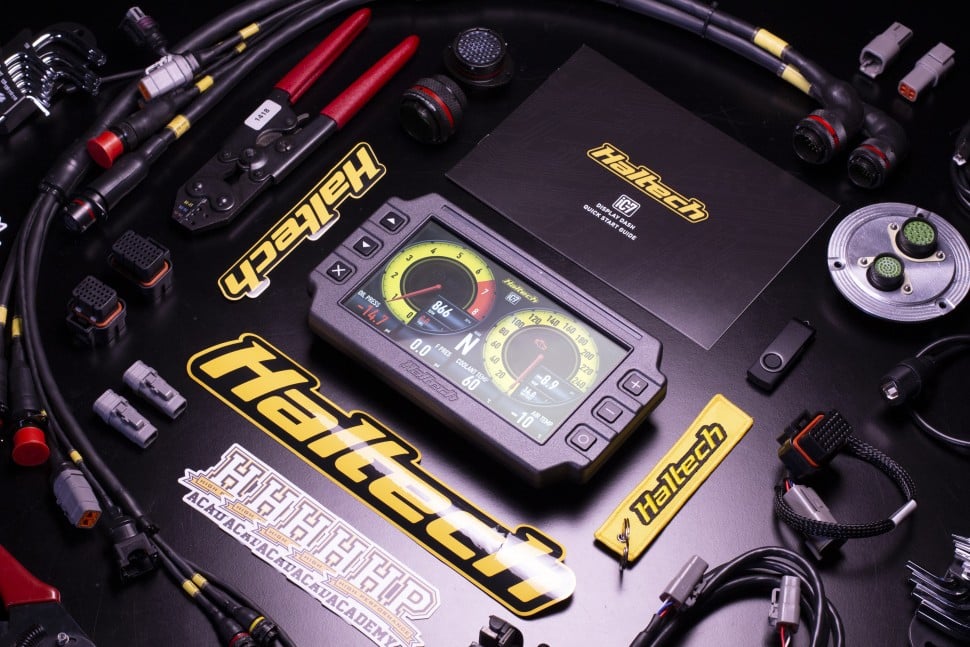
Professional wiring labels are one of those details that separate a clean, maintainable build from a nightmare troubleshooting session six months down the line. Whether you're building a full race car harness or adding a few circuits to your street car, having clear, durable labels on every wire makes life easier for everyone who touches that harness, including future you.
The good news is that there are labelling solutions for every budget, from clever DIY approaches to dedicated heat shrink printers that can handle professional motorsport builds.
In this article: Why Proper Wire Labelling Matters | Budget-Friendly Labelling | Entry-Level Printers | Professional Options | What to Consider When Choosing Wiring Label Printers | Wrapping Up
Why Proper Wire Labelling Matters
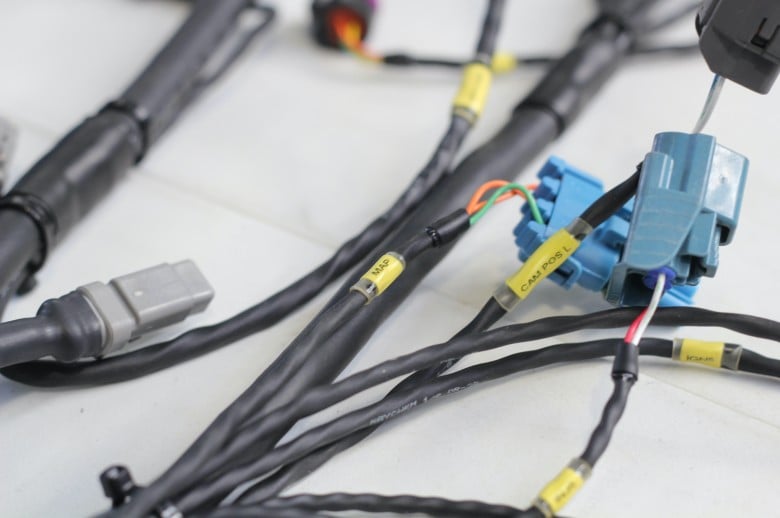
In automotive wiring, whether it's a performance daily or weekend race car, labels serve multiple critical purposes. They make initial installation faster and more accurate, they simplify troubleshooting when issues arise, and they make modifications or repairs straightforward instead of requiring you to trace every circuit with a multimeter. When you're working under time pressure at the track or trying to diagnose an electrical gremlin, clear labels can save hours of work. On the simpler end, they can even just help make sure you plug everything into the correct place every time (so long as you read them!).
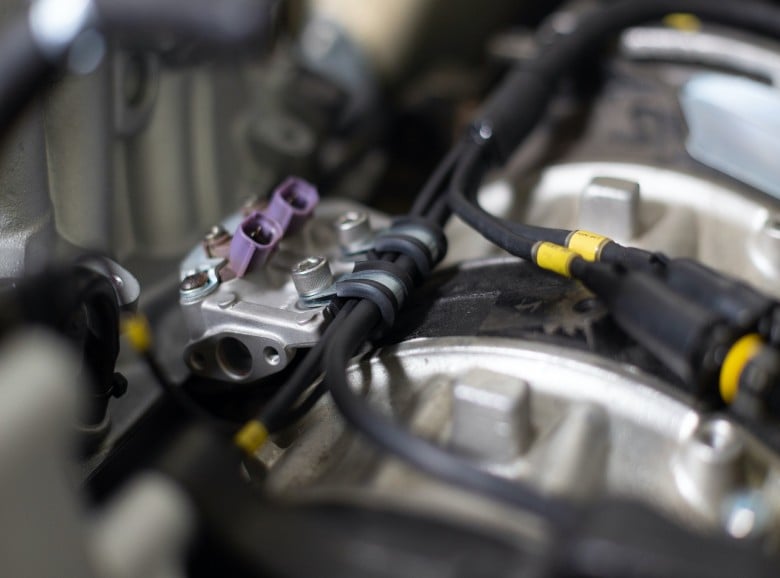
Heat shrink labels are the gold standard because they're permanent, resistant to oil and chemicals, and won't peel off like adhesive labels can. The text is printed directly on the heat shrink tube, so it stays legible even after years of heat cycles and vibration. For builds that need to meet professional standards or will be used constantly in racing environments, heat-shrink labels are worth the investment.
Budget-Friendly Labelling Options
If you're working on a bit of a budget or are not cranking out harness after harness for a living, there are proven workarounds that give you professional-looking results without investing in a 'one and done' heat-shrink printer. These methods have been refined by DIY builders and are surprisingly effective.
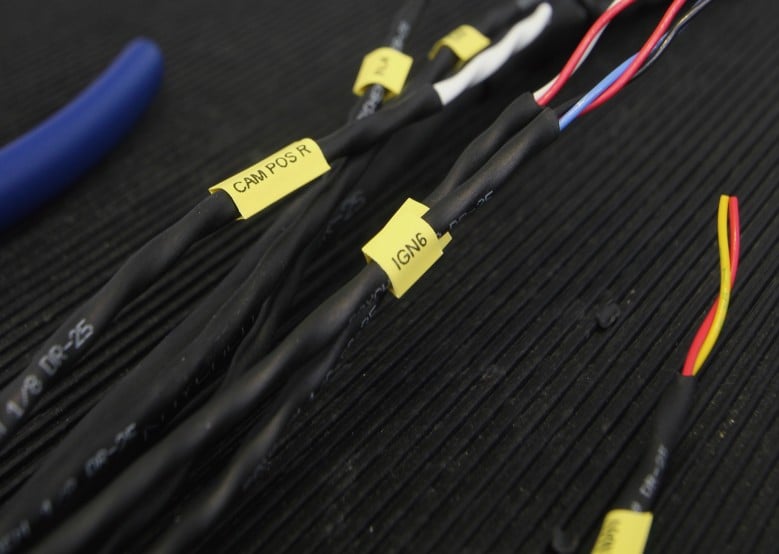
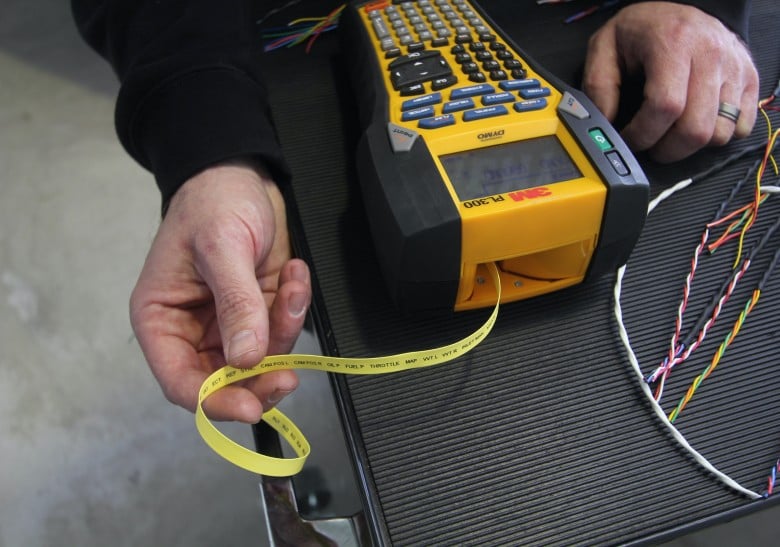
The most popular budget method is using a basic Dymo label maker (around $80) with standard labels, then sliding clear heat shrink tube over the label and wire/sheathing. This protects the label and makes it permanent. You can find these basic Dymo units like the LabelManager series and pair them with clear heat shrink from suppliers like Raychem. The labels are easy to print and clear heat shrink is readily available in various sizes from your chosen wiring supplier.
This is what we do with our own old 3M Dymo PL300 unit, noting we are just one opinion and there are many paths to the same goal.
Another clever approach we've seen involves using standard Brother P-Touch label makers with actual heat-shrink cartridges. The catch is that these printers aren't officially compatible with heat shrink, but you can trick them by covering specific holes on the cartridge with tape. This prevents the printer from recognising it as heat shrink and trying to print a mirror image. Several wiring enthusiasts have reported success with this method using affordable aftermarket heat-shrink cartridges from Amazon, priced around $21 for a 4-pack.
Pro Tip: For the ultimate budget option, you can also simply print labels on regular paper, cut them to size, and slide them inside clear heat shrink before installation. While this takes patience, it works, and the materials cost is minimal if you already own a paper printer and have more time than money.
Entry-Level Wiring Label Printers
If you're building multiple harnesses or want the convenience of high-quality heat-shrink labels without breaking the bank, 'entry-level' dedicated printers offer excellent value. These machines can print directly on heat shrink tube and are built to handle motorsport wiring work reliably. Prices listed are in USD.
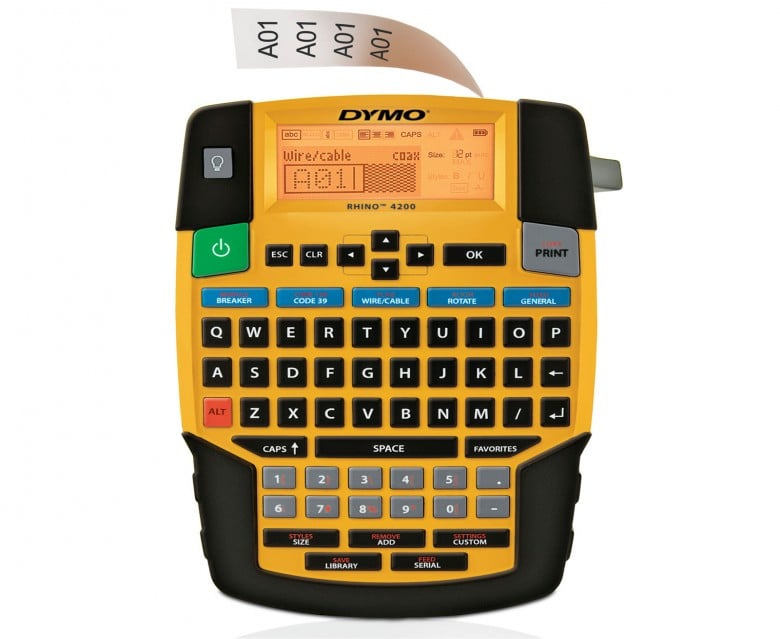
The Dymo Rhino 4200 is one of the most affordable entry points at around $100 USD. It's been a reliable workhorse for many wiring enthusiasts and will run for 7+ years with proper care. The Rhino 4200 has a QWERTY keyboard, which makes text entry faster than button-based models like the Dymo Rhino 5200. While it has a reputation for eating through batteries quickly, the low initial cost and access to affordable aftermarket heat shrink tubes (around a dollar per foot from sources like Amazon or AliExpress if you're brave) make it economical for DIY builders. Users report it works well for motorsport wiring projects despite being a budget option.
The Dymo LabelManager 280 sits around $109 USD and offers a step up in features. It has PC and Mac connectivity for creating labels from your computer, a QWERTY keyboard for fast typing, and can use the same affordable D1 cartridges as the Rhino series. This gives you access to inexpensive aftermarket heat shrink supplies while adding computer connectivity that some builders prefer for batch printing or creating templates.
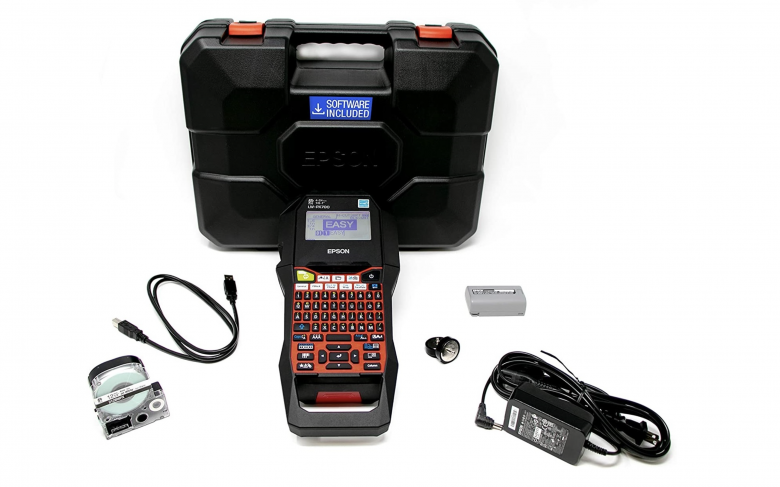
The Epson PX700 typically retails around $150-180 USD and represents solid value at that price point. It also offers a QWERTY keyboard, excellent interface design, and solid reliability. While Epson's heat shrink tubes cost more than Dymo's aftermarket options, the printer itself and overall user experience get strong reviews from experienced wiring gurus who have used multiple brands. The PX700 handles everything most DIY and semi-professional builders need. Note the Epson LW-PX350 is also recommended by some, but it generally costs a bit more despite being an older model, and it prints 5x slower so unless you find one for a steal, we wouldn't bother.
Pro Tip: You can purchase Epson printer kits without batteries and source batteries separately on eBay or Amazon, etc, for around $12 USD a set if you want to reduce the initial cost further.
Brother P-Touch models in this price range include options like the PT-E310BTVP at $120-150 USD, which offers Bluetooth connectivity and phone app control. The ability to design labels on your phone appeals to some builders who prefer mobile control over button interfaces.
Pro Tip: Brother printers can print on laminated labels, which are more durable than standard adhesive labels; however to be straight up, they're not quite as permanent as heat shrink options.
Professional-Grade Wiring Label Printers
For wiring enthusiasts doing frequent wiring work or those who want the best portable solution available, stepping up to professional-grade printers provides enhanced capabilities, durability, and speed. Prices listed are in USD.
It's worth noting that in this context, the word 'professional' is arguably more about work volume than it is the quality of finish.
The Dymo Rhino 5200 retails around $200-230 USD for the hard case kit. It's proven in professional environments for years of reliable service and prints up to 77% faster than some competing models (The Epson LW-PX350 mentioned in passing for example is slow by modern standards). The interface uses button-based navigation rather than a QWERTY keyboard, but the real advantage is the huge aftermarket for affordable heat shrink tubes at around a dollar per foot (approx 30 cm). For high-volume use or multiple builds, this ongoing cost savings can quickly offset the higher initial price compared to cheaper models. The 5200 handles labels up to 3/4 inch wide and includes professional features like hot keys for automatically formatting patch panel labels, wire wraps, and other common applications.
The Dymo Rhino 6000 is the step-up model with additional features like PC connectivity, a larger memory and the ability to handle up to 1 inch (25 mm) labels. Like the 5200, it benefits from the same ecosystem of affordable aftermarket consumables.
The Epson PX900 represents the flagship of Epson's portable lineup, with the deluxe kit retailing around $350-400 USD. The PX900 offers faster printing than the PX700, can handle wider labels up to 1.5 inches (with heat shrink up to 7/8 inch), and includes features like "drop-stop" and "pick-and-print" modes that hold labels until you remove them before printing the next one. It has a higher 360 DPI print resolution for crisp, detailed labels. The PX900 is the only Epson printer compatible with every type of tape they manufacture, making it extremely versatile. However, consumables remain more expensive than Dymo's aftermarket options. The printer meets MilSpec drop test specifications and includes Epson's lifetime warranty.
Brady portable models like the M210, M211, and the now-discontinued BMP71 represent the professional tier used in industrial and motorsport environments. The M211 offers Bluetooth connectivity for designing labels on your phone, while these printers are known for excellent build quality and durability. However, Brady's heat shrink consumables are significantly more expensive than other brands, which is why some builders move away from Brady despite the excellent printer quality. If you're doing professional race car builds where cost-per-label matters less than absolute reliability and quality, Brady printers are worth considering.
Pro Tip: At these price points, also consider the Epson PX400, which offers Bluetooth and USB connectivity at a lower cost than the PX900. It matches the PX700's print resolution but requires phone or PC operation rather than standalone use, which may or may not suit your workflow/is the catch.
What to Consider When Choosing A Wiring Label Printer
The right label printer for your needs depends on several factors beyond just the purchase price of the machine itself.
Cost per foot of labels is the big ongoing expense. If you're building multiple harnesses or working professionally, the consumable cost quickly exceeds the printer cost. Dymo's aftermarket supply availability gives it a strong advantage here, with heat shrink available for around a dollar per foot versus $3-5+ per foot for some other brands. However, cheaper isn't always better if the label quality or durability doesn't meet your needs.
Interface and ease of use matters more than you might think, especially when you're printing dozens or hundreds of labels for a large harness. QWERTY keyboards (like on Epson models) make text entry much faster than button-based interfaces (like on Dymo models). However, if you only print labels occasionally, the button interface is perfectly workable.
PC or phone connectivity is useful for batch printing and for creating templates you can reuse across multiple builds. Models like the Epson PX400, Brother P-Touch Cube, and Brady M211 offer this functionality. For ad-hoc printing and smaller projects, standalone operation may be all you need.
Label size range should match your wiring needs. Most printers handle 1/4 inch to 3/8 inch labels, which covers the majority of motorsport wiring applications. If you're working with larger gauge wires or need bigger labels for other purposes, check the maximum width the printer can handle. The Epson LW-PX900, for example, can print on 7/8 inch heat shrink.
Durability and longevity varies by model. Some printers like the Dymo 4200 and 5200 develop issues with cutters dulling or breaking after extended use, while others maintain their function for many years. Reading user experiences from builders who have put serious hours on their machines gives you a more realistic picture than manufacturer specifications.
Pro Tip: Before committing to a printer brand, check which heat shrink sizes and colours are available locally, as there's nothing worse than needing materials NOW that are a few days or weeks away in reality.
Wrapping Up
The best labelling solution depends on your specific situation. If you're building one harness on a budget, the DIY approaches using regular labels with clear heat shrink work perfectly well and cost very little. If you're building multiple harnesses and/or on the clock doing professional work, investing in a dedicated heat shrink printer might make the job faster.
For most DIY enthusiasts doing regular wiring work, models like the Epson PX700 or Dymo Rhino 5200 hit the sweet spot of capable features at reasonable prices with manageable consumable costs. The Epson offers better interface and ease of use, while the Dymo has cheaper aftermarket supplies. Both will serve you well for years.
Whatever labelling method you choose, the important thing is that you actually label your wiring. Taking the time to clearly identify every wire and documenting it makes everything downstream easier, from initial installation to future modifications and troubleshooting.
If you're new to building wiring harnesses and want to learn the complete process from planning through to testing, the Wiring Fundamentals course covers all the essential skills you need. Professional wiring with clear labelling is one of those details that mark the difference between a 'workable' build and a GREAT one.