When it comes to designing wiring schematics for motorsport applications, having the right software can greatly streamline the process for some users with specific, and often repeating needs. Whether you're working on a race car, rally car, or any other motorsport vehicle, using software at some level can help produce accurate and efficient electrical system designs, as well as an efficient reference for any future adjustments or troubleshooting.
After all, failing to plan is planning to fail, and that saying couldn't be more accurate for wiring projects where most of the work happens before you even touch the first wire.
In this list, we will explore a few software options that are suitable for drawing wiring schematics for a range of users from those on a budget producing harnesses for their own projects, to those looking at or already doing this for a living.
UPDATED FOR 2026
In this article:
Free: harness.design | Draw.IO | Google Sheets
Paid: EZ Wire | Microsoft Visio | RapidHarness | HarnWare | Arcadia Schematic | Autodesk EAGLE | Lucidchart | Conclusion
First, a quick note, this is by no means an exhaustive list of every and any option available to you, but rather a few popular options we have tried and seen mentioned within the community to give you the lay of the land. Let's crack into it!
FREE OPTIONS
harness.design
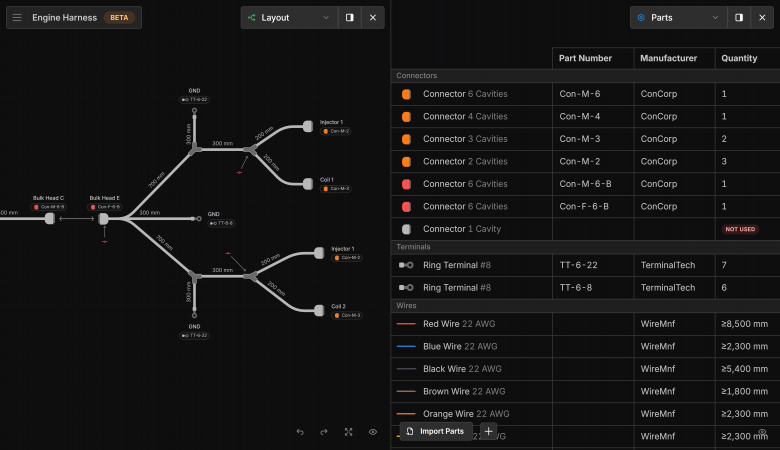
harness.design is a fresh web-based harness design tool built around a visual and intuitive workflow. Instead of navigating tables or form-heavy menus, you work directly on screen, placing and connecting components in a way that is quick to learn and scales well from basic to complex builds as your project evolves. It is suited to home builders, professional fabricators, and race teams alike.
The catch? It is free only to a point, but hear us out! The free licence will cover most smaller projects without issue, while larger full-vehicle harnesses will push you to the paid tier. That $29 USD paid subscription is priced with the enthusiast in mind rather than the enterprise, and in our opinion, is absolutely worth the cost for the few months you might use it. When you go back to the free license, you can still access everything, you just can't make changes without activating the paid plan again.
Draw.IO (now diagrams.net)
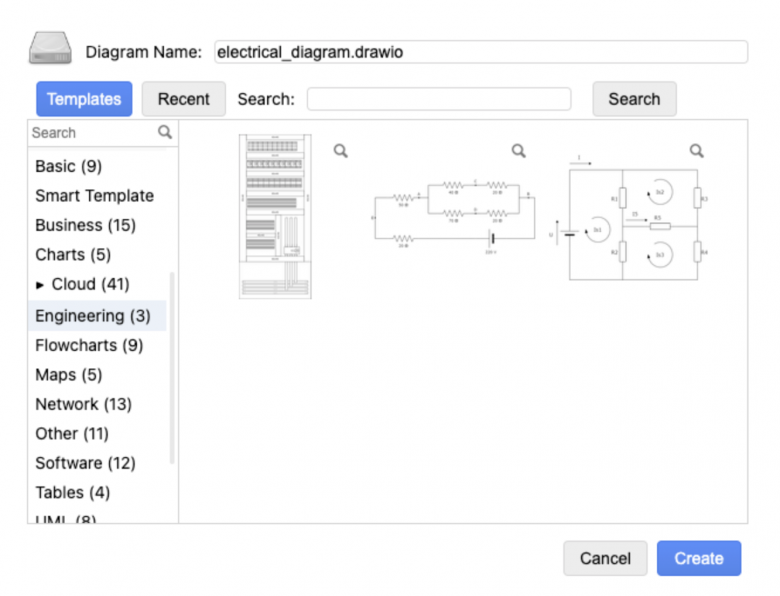
DrawIO (now diagrams.net) is a free and open-source software option that provides a platform for creating wiring schematics similar to Microsoft Visio, which is mentioned below. DrawIO allows users to design custom wiring diagrams, and while it may not have some of the advanced features found in paid options, DrawIO is workable for small-scale projects.
Because it is not specific to motorsport wiring but rather general electronics, this option will cost you a lot of time to get dialled in regarding some specialised wiring shapes, and users do report it can get quite slow the more detailed the harness gets.
In our honest opinion, there are better options available now and we don't recommend diagrams.net for your wiring projects.
Google Sheets & Hand-Drawn Notes
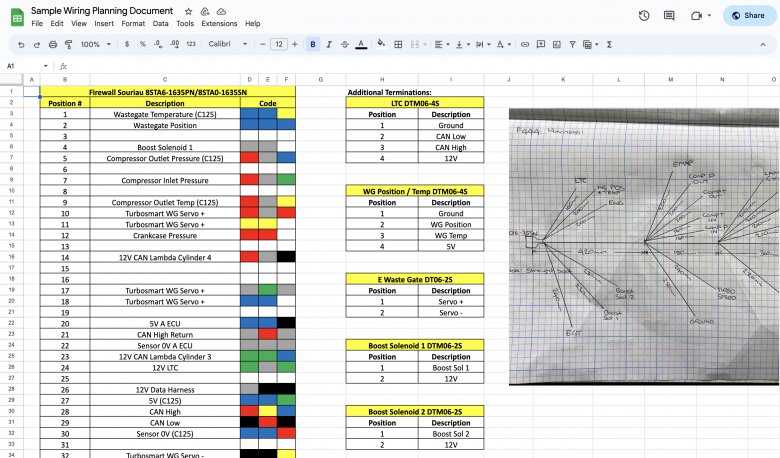
Google Sheets (pretty much Microsoft Excel or Apple Numbers, except better) is not specifically designed for wiring schematics, but combined with your own diagrams, it's a simple, no-nonsense setup that we and many others have used a lot over the years. Its spreadsheet format does allow users to create simple wiring diagrams using shapes and lines, but we find it easier to just do these on paper in our vehicle notebook, then upload the images from there. It is also easy to do the same for connectors when documenting pinouts, something future you will love you for.
So, while it may lack any specialized features of dedicated software, Google Sheets can be a very suitable option for time or budget-conscious projects. Here is an example from the Practical Wiring - Professional Motorsport Harness Construction Course.
While we happily recommend this as a solid option, with the affordability and quality of some wiring specific software now, it's probably not an option we will continue to use for much longer on our own personal projects.
PAID SOFTWARE
EZ Wire | $
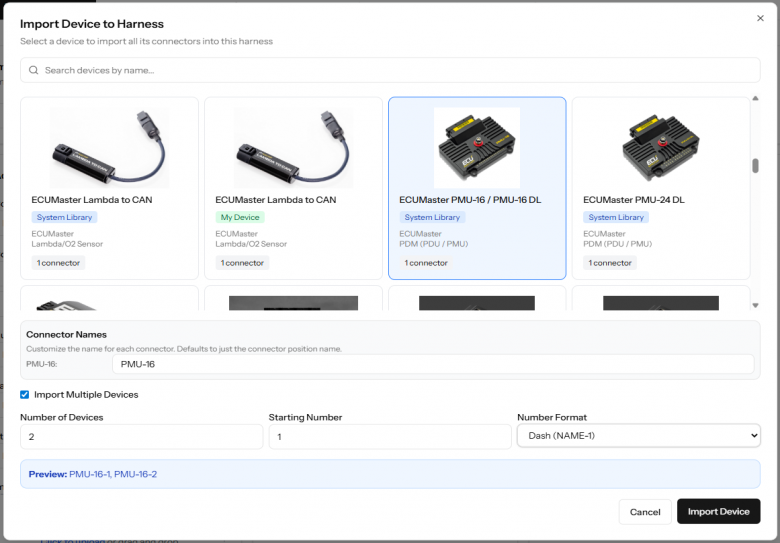
EZ Wire is a relatively new, purpose-built automotive wiring harness design tool created by a professional harness builder who wanted something faster and more affordable than the enterprise options on the market. It has real-time error checking to catch duplicate pins, wire colour conflicts, and connection mistakes before they become problems on the bench.
What sets it apart for the motorsport wiring world is its pre-configured device library, which includes 1,350+ connector designs and 60+ ECUs, PDMs, and sensors from manufacturers like MoTeC, Link ECU, Haltech, and Ecumaster. Rather than building your pinout from scratch every time, you can import a complete device configuration with a single click. For the price that's impressive.
The platform is updated regularly with a visual design feature being the next major update in the works as of publishing.
The DIY plan starts at $29 USD per month, and the commercial plan starts at $129 USD per month, coming in well under some other options out there.
Microsoft Visio | $
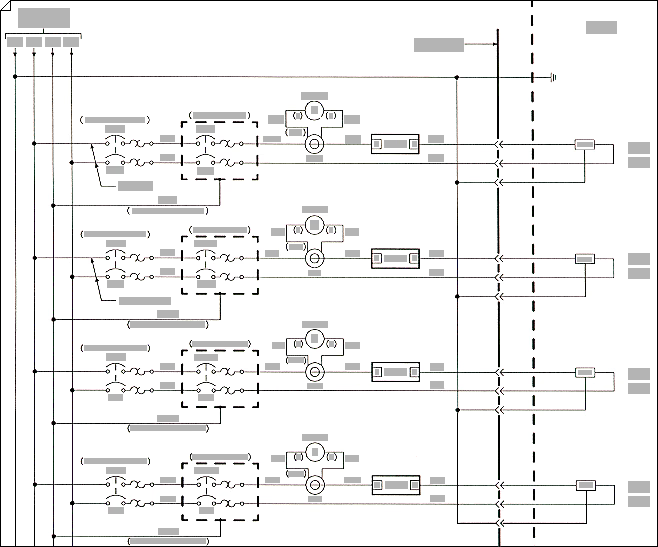
Microsoft Visio is a widely recognized software tool that provides a diverse range of diagramming capabilities, including creating wiring schematics. Like most visual editors, it wasn't made for us motorsport wiring enthusiasts but rather those focused on general electronics, so it doesn't come ready to go, and users will need to spend time creating their library within the software if they are not lucky enough to find someone willing to share their own hard work doing this.
This is generally the next step up from using the likes of Google Sheets for those that want things to look a little more professional, but we think there are better tools out there now and it's probably only useful to those who have already sunk a lot of time into getting it set up for them over the years.
Plan 1 starts at $5 USD per user per month (web only) and Plan 2 at $15 USD per user per month.
RapidHarness | $$$
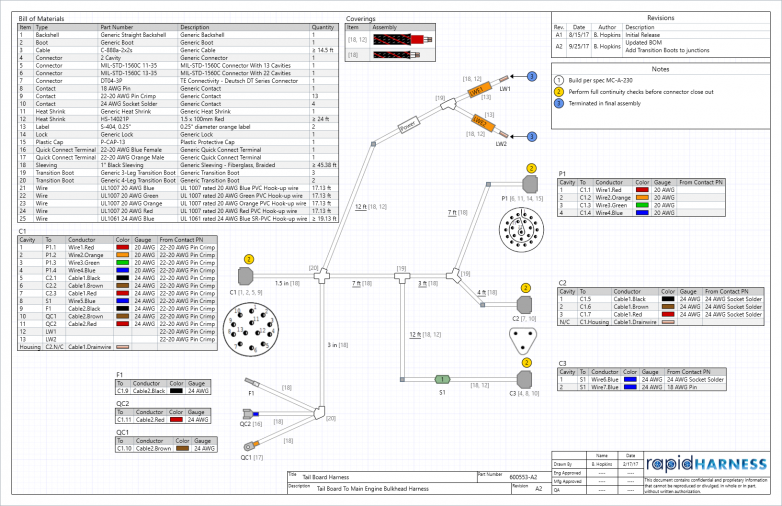
RapidHarness is a professional-grade software solution designed specifically for creating wiring schematics. With its intuitive interface and comprehensive set of features, RapidHarness enables users to efficiently design complex electrical systems. Its robust capabilities make it a valuable tool for professional motorsport applications although like every option on this list, it is not without its faults.
A free tier is available with a limit of 5 harness designs and 30 connections per harness, which is a good tool for evaluating the software yourself. Paid plans start at $219 USD per month for the Standard licence or $299 USD per month for Professional.
RapidHarness is often considered the next step up from Visio for those needing a purpose-built harness tool, but in our opinion, it is really more of a leap.
HarnWare | $$$
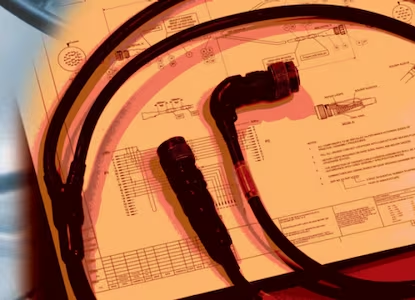
HarnWare is a premium software option from TE Connectivity that focuses on delivering high-quality wiring schematic design capabilities. Ideal for advanced motorsport applications, HarnWare offers a range of features to facilitate efficient and accurate electrical system design and both the features and pricing are aimed squarely at professional users working at a medium to large scale.
Pricing is not publicly listed and requires direct contact with TE Connectivity, with training also forming part of the onboarding process.
Arcadia Schematic or Harness | $$$
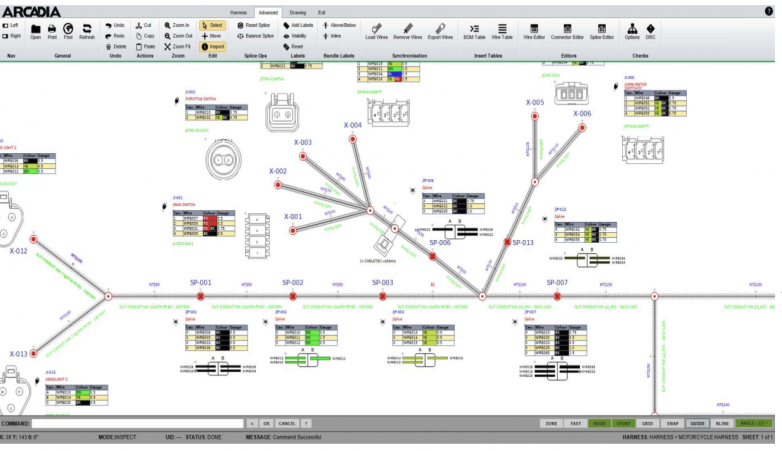
Arcadia, developed by Cadonix, is a premium software suite that covers the full harness design workflow from schematic capture through to harness layout and manufacturing documentation. The suite is split into distinct products including Arcadia Schematic, Arcadia Harness, and Arcadia Manufacturing, which can be purchased individually or as bundles depending on your needs.
Arcadia is firmly aimed at professional users and organisations rather than enthusiasts, but it is one of the more capable options available for those operating at that level with pricing being quote based on your business needs.
Autodesk EAGLE Fusion Electronics | $$$
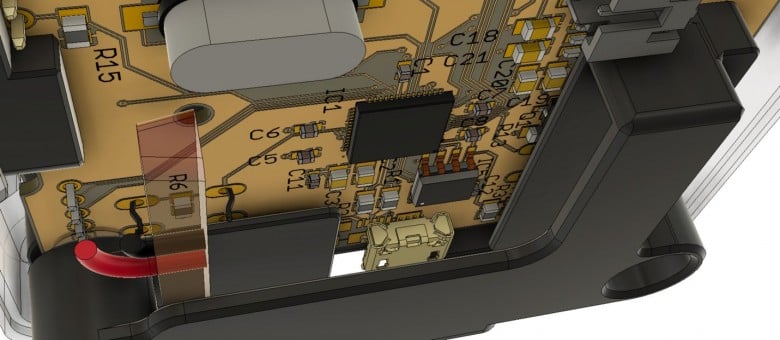
Autodesk EAGLE was a paid software option that has been replaced by Autodesk Fusion Electronics as of 2026. Fusion is a platform HPA knows and loves for 3D modelling and CAD in general, but one we're not sure is the best for your motorsport wiring projects. Like a lot of platforms already mentioned, EAGLE and now Fusion are really focused on electronics, combining schematic design with PCB layout capabilities. If your full car design is already in Fusion, though, this adds the option to integrate your harness design too. Necessary? No. Pretty awesome? Absolutely, IF you have the time to spare.
Important note: Autodesk has announced that EAGLE will be discontinued effective June 7, 2026, after which it will no longer be sold or supported. Autodesk is directing users toward Fusion Electronics as the replacement.

Lucidchart | $
Lucidchart is a cloud-based software tool offering various basic diagramming capabilities, including wiring schematics that are comparable to Microsoft Visio but does not have exactly the same feature set. Like Visio, wiring schematics are not the focus of this product and you will need to build your own library, however, we have seen it come up in discussion by others so have included it here for that reason and that reason alone. With respect to those who love Lucidchart for wiring, honestly, we wouldn't bother with this. Times have changed.
A free version is available with limited functions, with paid plans starting at $9 USD per month for the Individual plan.
Conclusion
Selecting the right software for drawing wiring schematics in motorsport applications is not an easy task. While free options like Google Sheets and DrawIO can provide basic functionality, purpose-built options that are not just for general electronics are what we strongly recommend you consider. These options include harness.design, EZ Wire, RapidHarness and HarnWare, all of which offer advanced features tailored to more complex wiring projects rather than PCB and circuitry design.
Each software option has its own set of advantages, pricing structures, and capabilities, so it's important to evaluate your specific needs and project requirements before making a decision.
Whether you're an enthusiast or a professional, investing in the right software can greatly enhance your ability to design top-notch wiring schematics for motorsport vehicles. After all, a poor wiring plan can only lead to a poor wiring job.
If nothing else, we hope this list shows you that while the dream is to grab something complex that looks like it does all the heavy lifting, the reality is that our options aren't so simple and for many one-off projects, a basic approach will get you to the same result in less time and for thousands less than high-end software.
Note both the practical wiring courses, Club and Professional, run you through the process of creating accurate documentation for your project as part of the HPA 10-step wiring process.