We're not going to lie, it sucks when companies lock their CAN protocols away.
Plenty of brands have arguments for it that are perfectly legitimate from their point of view, but for us enthusiasts, tuners and car builders, it generally feels like the goal is to keep us inside a single product ecosystem, regardless of the often good intentions.
To be fair to Haltech, they have never been the worst offender here. The Haltech ECU broadcast protocol has been publicly documented for years, so a third-party device that knows the format can already read Haltech data off the bus. What was missing was the other half of the equation, the ability to define your own messages instead of being limited to a fixed broadcast and a list of pre-configured integrations.
This is what Generic CAN, or GCAN, release changes.
Haltech's recent midlife crisis GCAN drop gives users the ability to configure their own CAN messages within supported Nexus devices, both transmitted and received. This allows the device to communicate using the message structure required by another ECU, dash, transmission control unit, sensor, switch panel or data logger.
Before we go any further, if you're new to CAN bus, we recommend checking out this quick, clear and concise explanation.
In This Blog Post:
What Can You Do With GCAN? | What Hardware Supports GCAN? | What Hardware Misses Out? | GCAN Limitations | How To Access The GCAN Beta
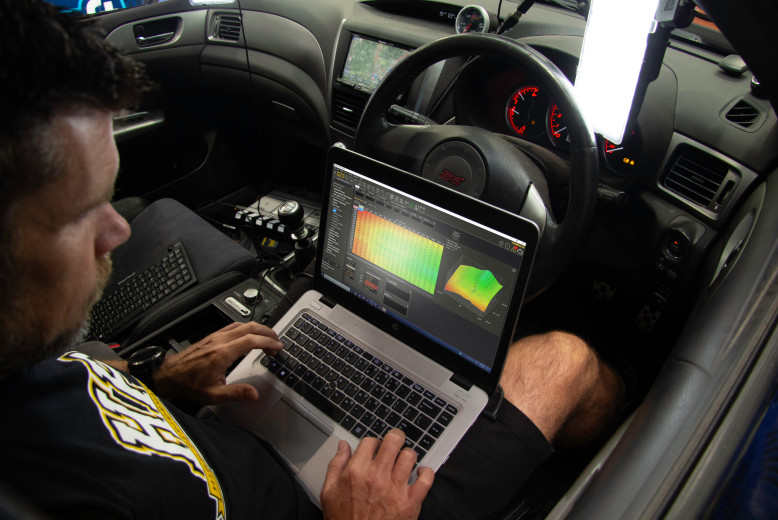
How To Use Haltech GCAN
So, what does this actually mean for you and other Haltech users in practical terms?
1: Keep Your Factory Dash
Fitting a Haltech ECU to a later-model CAN-equipped vehicle?
Previously, retaining the factory dash could be extremely difficult if Haltech did not already provide a pre-configured vehicle CAN option. Even if you knew which messages the dash required, there was no straightforward way to make the Nexus transmit them in the necessary format.
GCAN allows you to configure the Nexus to transmit those messages yourself. This could let the factory instrument cluster continue displaying information such as engine speed, coolant temperature, oil pressure or warning status after the original ECU has been removed.
Before you get too excited, this isn't all plug and play; there is work to be done. You will still need to know the message identifiers, byte positions, scaling and other details expected by the dash. GCAN does not automatically decode an unknown network for you, but it provides the missing ability to reproduce the messages once that information has been established.
2: Use A Haltech With Other Devices
The same capability extends well beyond factory dashboards.
GCAN could also provide more flexibility when integrating controllers such as the popular Turbolamik transmission control unit used for ZF 8HP swaps, particularly where channels outside the existing pre-configured integration are required.
If the transmission controller requires information such as engine speed, throttle position, engine torque or a shift-cut request over CAN, the Nexus can be configured to transmit compatible messages. Data sent back by the transmission controller, such as selected gear or transmission temperature, can also be received and used within the Haltech system.
The possibilities extend much further, including sending selected ECU channels to a system like RaceCapture, or an AiM dash logger configured through RaceStudio, for logging, analysis and telemetry.
Once combined with GPS and chassis data, those ECU channels can be used to analyse driver and vehicle performance using the same fundamental techniques covered in the Data Analysis Fundamentals course.
This does depend on the required CAN protocol being available. GCAN gives you the tools to build the messages, but you still need accurate information describing what the connected device expects to send and receive.
3: Add CAN Sensors And Switch Panels
GCAN also allows supported Nexus devices to receive data from CAN-based sensors and aftermarket switch panels that Haltech has not already configured.
This could include tyre pressure monitoring systems, thermocouple modules and other CAN expansion devices. It could also include a conventional dash-mounted CAN keypad or a steering-wheel-mounted option such as the RacePad, allowing controls for boost modes, traction control, launch control or the pit lane limiter to remain within easy reach of the driver.
Received data can then be assigned to channels inside Nexus Software Programmer and used for logging, display or control strategies.
When operating standalone, the iC-7 and uC-10 could already receive analogue inputs and data from selected Haltech CAN devices. GCAN extends this capability to third-party CAN sensors and devices with known protocols.
4: Communicate With Factory Modules
Another useful application is receiving data from original equipment manufacturer modules that remain in the vehicle.
Wheel speeds, brake pressure, steering wheel switch positions or other information may already be available from the anti-lock braking system, body control module or another factory controller. If you know how that data is encoded, GCAN can be configured to receive it without adding duplicate sensors.
Likewise, the Nexus may be able to transmit information required by factory modules that previously depended on messages from the original engine control unit.
5: Build Custom Logging And Timing Streams
GCAN can also transmit a custom selection of channels to an external data logger, telemetry device or timing system.
Instead of being limited to an existing Haltech broadcast template, you can build a stream containing the specific channels and message format required by the receiving device. This may be particularly useful where a race series mandates a particular data format or a logger only supports a limited set of predefined protocols.
What Hardware Supports GCAN?
GCAN is available for the following devices:
- Nexus T1 and T2
- Nexus S2 and S3
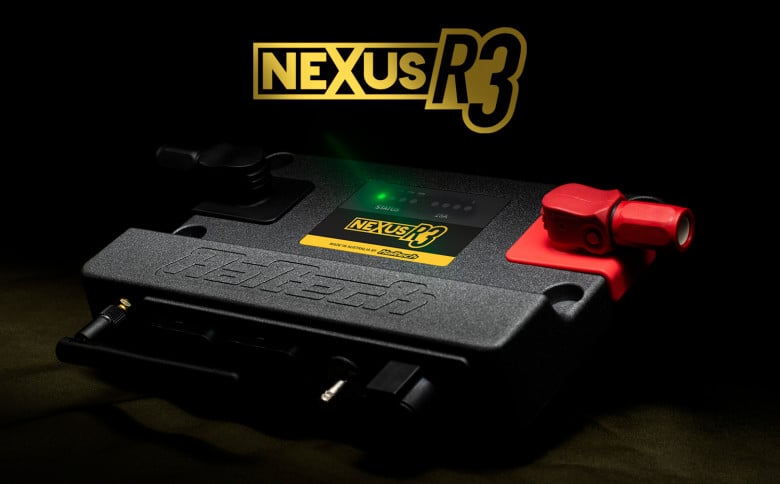
- Nexus R3 and R5
- Nexus Plug-in ECUs
- iC-7 display
- uC-10 display
The Nexus R3 and R5 are eligible as complete vehicle control units, with GCAN configured within the same unit that also provides integrated power distribution. Haltech's separate PD16 is not a standalone GCAN device because it operates as an expansion module controlled by a compatible Elite or Nexus ECU. When paired with an eligible Nexus ECU, GCAN is configured through the ECU rather than the PD16.
Note that Haltech's Nexus Plug-in range is supported, but the separately classified Nexus Rebel range is not. More on that below.
The Bad News
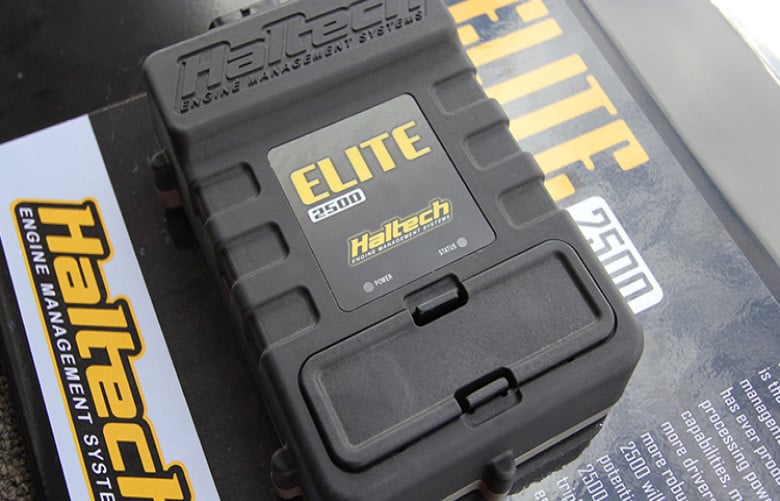
The Elite ECU range misses out. Haltech's reasoning is simple enough: the onboard memory on those units is already full, so there is no room for GCAN.
The Nexus Rebel does not receive full GCAN configurability. Haltech says this is a deliberate product decision intended to keep the Rebel a simpler plug-and-go option. It instead gains support for a second CAN bus using Haltech's pre-configured vehicle CAN integrations. Rebel by name, Rebel by nature, I guess.

GCAN Limitations
Each supported device can be configured with up to 30 CAN frames and 200 signals. That should be sufficient for most integrations, including systems communicating with several third-party devices.
When GCAN is enabled on the Haltech or Vehicle CAN bus, it operates at that bus's existing bit rate. Supported hardware with a separately configurable third-party CAN bus can instead use 125 kbit/s, 250 kbit/s, 500 kbit/s or 1 Mbit/s.
The Nexus T1 and T2 have only one physical CAN channel, so their options for running Haltech devices and third-party equipment on separate networks are more limited than Nexus models with multiple CAN channels.
This means devices still need to operate at a compatible bus speed. If two devices require different bit rates, they cannot simply be connected to the same CAN bus. A device such as Minton Performance's CAN Triple may be required to translate messages between separate networks.
GCAN also does not remove the need to understand CAN configuration fundamentals. You still need the correct message identifier, frame format, byte order, start bit, data length, scaling and offset for each signal. Extended identifiers, multiplexed messages or rolling counters may add further complexity depending on the device being integrated.
The CAN Bus Communications Decoded course teaches the knowledge required to analyse these messages and configure custom integrations correctly if you've made it this far and are fizzing to crack into some of the options above. It 'can' seem daunting, but honestly, this is a skill with low barriers to entry that opens up so many doors for you and your project while genuinely keeping the costs down if you are willing to DIY it.
How To Access The GCAN Beta
At the time of writing, GCAN is available as a beta release.
To access it, install Nexus Software Programmer version 1.48 or later, open Preferences > Firmware Update Options, enable Opt-In to Beta Firmware Versions, and select Check for Updates Now.
You can then connect the supported Nexus device and update it to ECU firmware version 1.36 or dash firmware version 2.36.
Haltech recommends backing up your existing calibration and configuration before updating. As this is beta software, every connected device and safety-critical function should be tested carefully before the vehicle is driven or raced.
GCAN is then enabled separately for the CAN bus you want to configure. On an ECU, this may be the Haltech CAN bus, Vehicle CAN bus or a dedicated third-party CAN bus, depending on the hardware and network architecture.
A Significant Step Forward
While GCAN will not automatically make every device plug-and-play compatible with a Haltech Nexus, it does provide the ability to act on the CAN protocol information available for another device without waiting for Haltech to add official support.
That opens the door to retaining factory electronics, integrating specialised motorsport hardware, using a wider selection of sensors and building custom CAN networks around the requirements of the vehicle rather than the limitations of a single product ecosystem.
It has been a long-requested capability, and in our opinion this is an excellent move from Haltech that we're very happy to see.