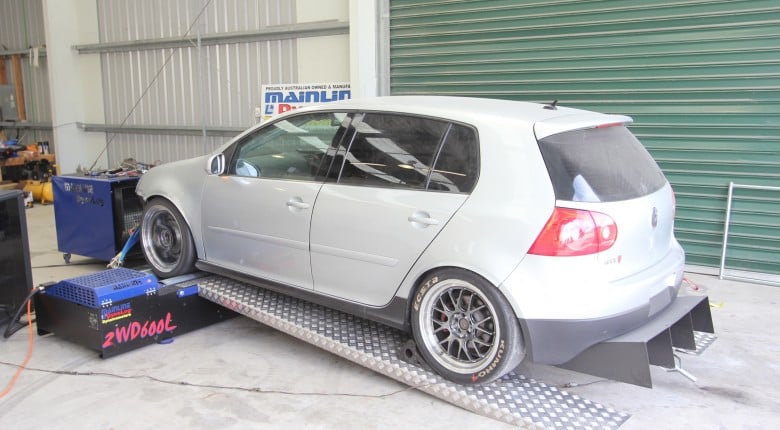
TunerPro and TunerPro RT are ECU calibration tools used for viewing, editing, logging and, in some rare cases, real-time tuning of factory engine control unit files. While modern tuning software often provide a polished vehicle-specific workflow, TunerPro is more of a flexible editor that relies heavily on the correct definition files, hardware and user knowledge.
That makes it powerful in the right hands, particularly for older factory ECUs and community-supported platforms, but it also means it is not a simple plug-and-play solution. Before making tuning changes with TunerPro, it is important to understand what the software does, what TunerPro RT adds, and why definition files are so critical.
In this article
- What is TunerPro?
- What is TunerPro RT?
- What is hexadecimal?
- What are XDF and ADX files?
- What can you tune with TunerPro?
- What hardware do you need?
- TunerPro vs WinOLS
- Pros and cons of TunerPro
- Is TunerPro right for you?
What Is TunerPro?
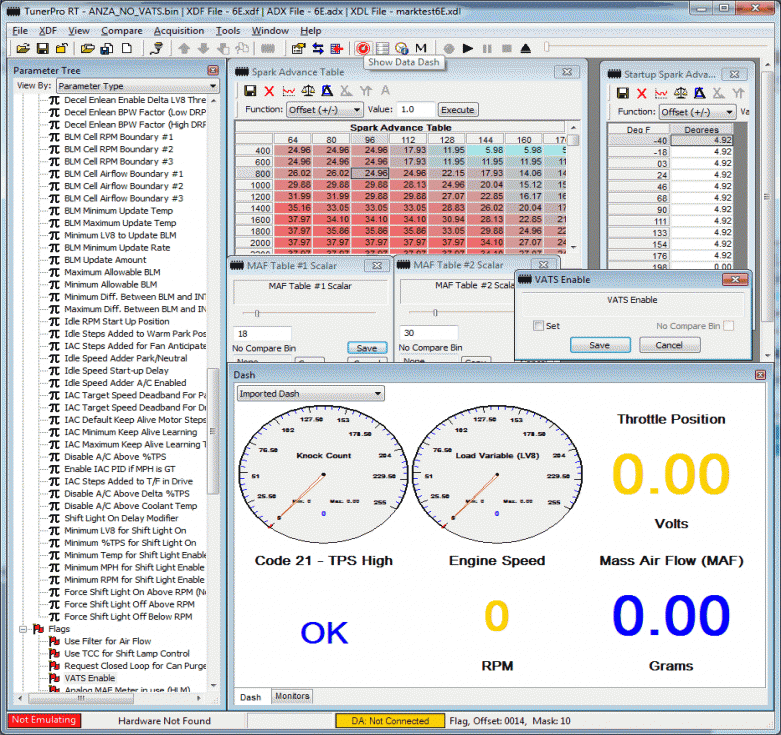
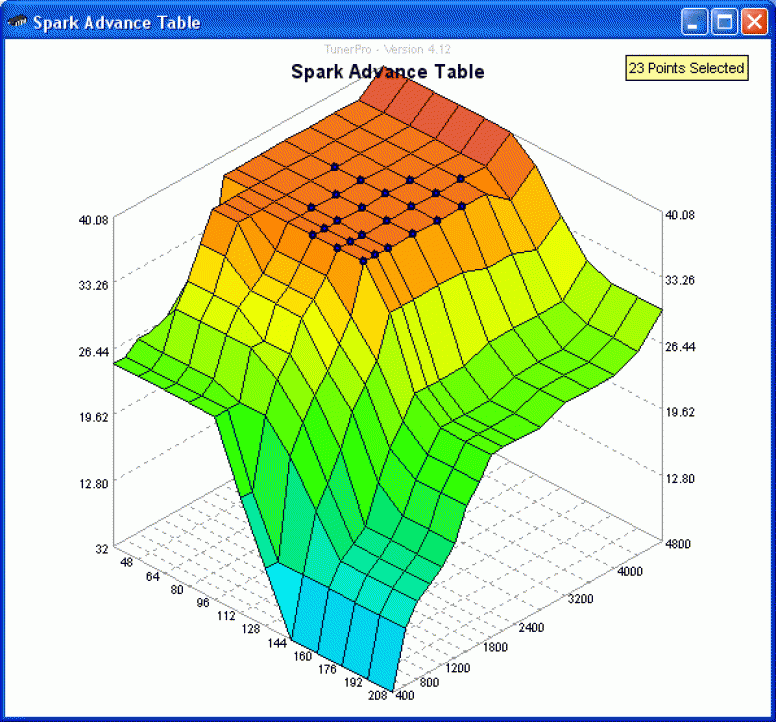
TunerPro is a Windows-based tuning platform used to open, view and modify binary ECU files. These files are commonly referred to as BIN files, and they contain the calibration data used by the ECU to control functions such as fuelling, ignition timing, idle control, boost control, rev limits and other engine or transmission strategies.
On its own, a binary file is just raw data. TunerPro becomes useful when that file is paired with a suitable definition file that tells the software where the important maps, tables and parameters are located. Once the correct definition is loaded, the tuner can view calibration data in a more useful format rather than trying to interpret raw hexadecimal values directly.
TunerPro has historically been popular with older General Motors OBD1 ECUs, but it has also been adapted by the tuning community for many other applications. Support for a specific ECU or vehicle depends on whether suitable definition files, logging definitions and hardware support are available.
TunerPro and TunerPro RT are free to download. You can get the latest version from the official TunerPro website.
What Is TunerPro RT?
TunerPro RT includes the core editing functions of TunerPro, but adds real-time data acquisition and emulation features. The RT stands for real time, and this is the version most people are referring to when discussing logging, dashboards, emulator support or live tuning workflows.
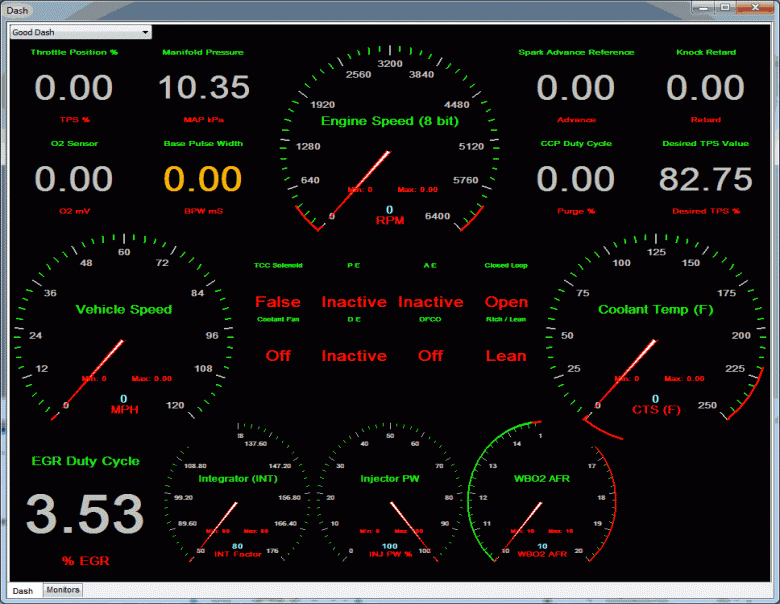
Depending on the ECU and hardware being used, TunerPro RT can be used for tasks such as data logging, viewing live sensor data, using dashboards, tracing logged values against calibration tables, and working with compatible emulators.
It is important to understand that TunerPro RT does not automatically provide real-time tuning on every ECU. The ECU, interface, emulator, definition files and data acquisition setup all need to be compatible. On some vehicles, TunerPro may only be useful as an offline editor, while flashing or chip programming is handled by separate hardware or software.
What Is Hexadecimal?
If you are new to working with factory ECU files, you will quickly encounter hexadecimal values, commonly written with a dollar sign prefix such as $6E or $90. Understanding what hexadecimal is will help you make sense of what TunerPro is actually doing when it reads and displays ECU data.
In everyday life we count in decimal, or base-10, which uses ten digits: 0 through 9. Hexadecimal is base-16, which means it uses sixteen digits to represent numbers. Since we only have ten numeric digits available, the letters A through F are used to represent the values ten through fifteen. So where decimal runs 0, 1, 2... 9, hexadecimal runs 0, 1, 2... 9, A, B, C, D, E, F before rolling over to 10.
ECU binary files store calibration data as raw hexadecimal values. Without a definition file to interpret them, those values have no context. A fuel table, a timing value, or a rev limit is just a string of hex numbers buried in the file. This is why definition files are so critical to TunerPro's usefulness -- they tell the software what those hex values mean and how to convert them into real world engineering units that a tuner can actually work with.
If you want to convert between decimal and hexadecimal, the Windows calculator in scientific mode handles this quickly. Enter a decimal number, switch to hex view and the equivalent is displayed instantly, and vice versa.
For more details, Mark Mansur or TunerPro has an excellent explanation here.
What Are XDF And ADX Files?
The two file types most commonly associated with TunerPro are XDF and ADX files.
XDF Files
An XDF file is the definition file that tells TunerPro how to interpret a specific ECU binary. It defines where maps and parameters are located, how data should be scaled, what units should be displayed, and how the information should be presented inside the software.
For example, without an XDF file, a fuel table is just a section of data buried inside the binary. With the correct XDF, that same data can be displayed as a table with meaningful axis values and units, making it possible to edit the calibration in a controlled way.
For more information on XDF files, this article dives a bit deeper into them and definition files in general.
ADX Files
An ADX file is used for data acquisition. It defines how TunerPro RT communicates with the ECU for logging and live data, including what channels are available and how they should be interpreted.
In practical terms, the XDF file helps you edit the tune, while the ADX file helps you log and monitor what the ECU is doing.
What Can You Tune With TunerPro?
What you can tune with TunerPro depends entirely on the ECU, the binary file, the available definitions and the hardware being used. On a well-supported platform, TunerPro can allow access to many of the same basic calibration areas you would expect from other tuning software, including:
- Fuel tables
- Ignition timing tables
- Idle control settings
- Rev limits
- Boost control parameters where applicable
- Injector data
- Sensor scaling
- Transmission-related parameters on supported controllers
However, this is not guaranteed. A poor-quality or incomplete XDF may only expose part of the calibration. Worse, an inaccurate definition file may point to the wrong areas of the binary or use incorrect scaling, which can lead to bad tuning decisions and potentially engine damage.
For this reason, TunerPro should not be treated as a shortcut around understanding ECU calibration. It is a tool, and like any tuning tool, the quality of the result depends on the accuracy of the information being used and the skill of the tuner. Garbage in = garbage out.
What Hardware Do You Need?
TunerPro is not a complete tuning ecosystem on its own. Depending on the vehicle and ECU, you may also need suitable hardware for reading, writing, logging or emulation.
Common examples include:
- An interface cable for ECU communication
- A chip burner or programmer for older removable-chip ECUs
- An emulator for real-time tuning on supported systems
- A separate flashing tool for reading and writing ECU files
- A wideband oxygen sensor for proper air fuel ratio data
- Vehicle-specific wiring or adapter hardware
This is one of the major differences between TunerPro and many modern commercial tuning suites. With software such as HP Tuners, Hondata, EFILive, Woolich Racing or other vehicle-specific platforms, the read, write, logging and editing workflow is often built around a defined hardware and licensing ecosystem. With TunerPro, the workflow is usually more DIY and platform-specific.
TunerPro Vs WinOLS
TunerPro and WinOLS are both used for working with factory ECU calibration data, but they are aimed at different workflows.
TunerPro is generally easier to use when a complete and accurate XDF already exists for the ECU you are working with. In that situation, the maps and parameters are already defined, allowing the tuner to focus on making calibration changes rather than first identifying where everything is located inside the binary.
WinOLS, on the other hand, is a more advanced calibration development and map identification environment. It is widely used when you need to locate, define and edit maps inside factory ECU files, especially when there is no ready-made definition available or when the calibration strategy is more complex.
This is where understanding WinOLS becomes extremely valuable. If you are working with factory ECU binaries and want to learn how maps are found, defined and edited rather than relying only on pre-made definitions of questionable quality, the WinOLS Mastery: Map Identification & Editing course is a logical next step. It covers how factory ECU files are structured, how to read and write files using common methods, and how to identify the maps needed to make tuning changes.
In simple terms, TunerPro is often most useful when someone else has already done the definition work for your specific ECU. WinOLS is the tool you turn to when you need to understand and define the data yourself.

Pros And Cons Of TunerPro
Advantages
- Free to use: TunerPro and TunerPro RT can be used without an upfront software purchase, although registration is available.
- Flexible: It can be adapted to many different ECUs when suitable definitions and hardware exist.
- Strong for older platforms: TunerPro remains popular for older factory ECUs, especially chip-based systems.
- Real-time features: TunerPro RT can support data logging, dashboards and emulation on compatible setups.
- Community support: Many platforms have community-created XDF and ADX files available.
Limitations
- Definition-dependent: The software is only as useful as the XDF and ADX files available for your ECU.
- Variable accuracy: Community-created definitions may be incomplete or incorrect.
- Hardware-dependent: Reading, writing, logging and emulation usually require additional tools.
- Not always beginner-friendly: The workflow can require more calibration knowledge than modern vehicle-specific software.
- No universal vehicle support: Just because TunerPro exists does not mean it will support your specific ECU.
Is TunerPro Right For You?
TunerPro can be an excellent option if you are working with a well-supported ECU, have access to proven definition files and understand the hardware required to read, write or emulate the calibration. It can be especially useful for older factory ECU tuning, legacy GM applications, some community-supported European and Japanese ECUs, and specialist projects where commercial tuning suite support is limited.
However, it is not the right choice if you are expecting a fully guided tuning workflow with guaranteed vehicle support, integrated licensing and a polished read/write process. In that case, a dedicated commercial tuning platform may be more appropriate.
The biggest point to remember is that TunerPro does not remove the need for tuning knowledge. If anything, what it saves in licensing cost it demands back double in time and knowledge. The tuner still needs to understand engine operation, ECU strategy, fuelling, ignition timing, data logging and safe validation on the road or dyno on top of that. Don't let that put you off, just set your expectations accordingly.